
Key facts
Start here
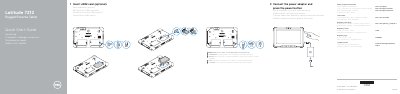
Dell Latitude 7212 Rugged Extreme Tablet Quick Start Guide
This Dell Latitude 7212 Rugged Extreme Tablet Quick Start Guide explains how to connect the power adapter, insert the optional uSIM card, and press the power button to start the tablet. It also provides Dell product support contacts, manuals, and regulatory compliance information.
The guide lists the tablet’s features and parts, including cameras, ports, buttons, and QuadCool vents. It states that the screen side must remain at least 15 mm (0.59 inches) from the user’s body when a transmitter is active and describes how to remove the battery.
Dell Latitude 7212 Rugged Extreme Tablet specifications
| Minimum screen-side distance | 15 mm (0.59 inches) or greater from user's body |
|---|---|
| USB port | USB 3.1 Gen 1 port with PowerShare |
| DisplayPort | DisplayPort with PowerShare over USB Type-C |
| uSIM card slot access | Remove battery to access |
Source: Dell Latitude 7212 Rugged Extreme Tablet Quick Start Guide
All Dell Latitude 7212 Rugged Extreme Tablet documents by type
The shortest path to a working setup, usually only a few pages.
- Dell Latitude 7212 Rugged Extreme Tablet Quick Start Guide 2 p
- Dell Latitude 7212 Rugged Extreme Tablet Quick Start Guide 2 p
- Dell Latitude 7212 Rugged Extreme Tablet Quick Start Guide 2 p
- Dell Latitude 7212 Rugged Extreme Tablet Quick Start Guide 2 p
- Dell Latitude 7212 Rugged Extreme Tablet Quick Start Guide 2 p
Questions answered in these manuals
How do I start the Dell Latitude 7212 Rugged Extreme Tablet?
Connect the power adapter and press the power button.
From: Dell Latitude 7212 Rugged Extreme Tablet Quick Start Guide
How do I access the uSIM card slot?
Remove the battery to access the uSIM card slot.
From: Dell Latitude 7212 Rugged Extreme Tablet Quick Start Guide
How do I turn on the tablet?
Connect the power adapter and press the power button.
From: Dell Latitude 7212 Rugged Extreme Tablet Quick Start Guide
How do I access the uSIM card slot?
Remove the battery to access the uSIM card slot.
From: Dell Latitude 7212 Rugged Extreme Tablet Quick Start Guide
How do I insert the uSIM card?
Insert the uSIM card, making sure it is correctly aligned and inserted all the way.
From: Dell Latitude 7212 Rugged Extreme Tablet Quick Start Guide
How do I turn on the tablet?
Connect the power adapter and press the power button.
From: Dell Latitude 7212 Rugged Extreme Tablet Quick Start Guide