
The Latitude 7212 Rugged Extreme Tablet is a rugged tablet that is built for extreme environments. It features:
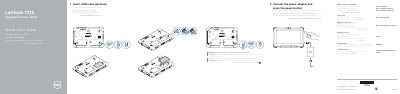
This document serves as a Quick Start Guide for the Dell Latitude 7212 Rugged Extreme Tablet. It outlines the initial setup steps, including inserting the uSIM card and connecting the power adapter, along with contact information for Dell support and regulatory compliance details.
The guide also includes a detailed parts overview identifying 39 specific components of the tablet, such as the QuadCool vents, various ports (USB 3.1, DisplayPort, microSD), and security features like the fingerprint reader and security card reader. It notes that the screen-side orientation is not a Dell-specified usable orientation when the transmitter is active.
| Operating System | Windows |
|---|---|
| Document Copyright Year | 2017 |
The Rugged Control Center software is available at Dell.com/support.
No, the screen-side held against the user's body is not a Dell-specified usable orientation when a transmitter is active.
You must remove the battery to access the uSIM card slot.