
Key facts
- Brand
- DELL
- Model
- Inspiron 20-3052
- Category
- All-in-One Desktops
- Documents
- 24
- Languages
- EN · ZH · EL · MUL
- Last added
- 2023-11-24
Start here
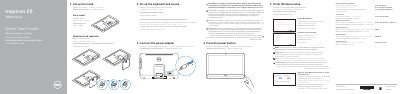
Dell Inspiron 20-3052 Quick Start Guide
This guide helps you set up your Dell Inspiron 20-3052 computer quickly. It covers installing the stand, connecting peripherals, powering on, and configuring Windows. It also includes steps for connecting to a network and setting up your Microsoft or local account. Optional accessories like a pedestal stand or optical drive are noted as available.
The guide warns that if your computer has a built-in battery, keeping the power adapter connected when not in use will optimize battery life. It also includes diagrams of the computer’s ports and features, such as USB, audio, network, and camera ports, with labels in multiple languages.
Dell Inspiron 20-3052 specifications
| Input Voltage | 100 V CA–240 V CA |
|---|---|
| Input Frequency | 50 Hz–60 Hz |
| Input Current Consumption | 1,30 A/1,70 A |
| Output Voltage | 19,50 V DC |
| Output Current Consumption | 2,31 A/3,34 A |
| Origin | Made in China |
| USB 3.0 Ports | 2 |
| USB 2.0 Ports | 2 |
Source: Dell Inspiron 20-3052 All-in-One PC Quick Start Guide
All Dell Inspiron 20-3052 documents by type
The shortest path to a working setup, usually only a few pages.
- Dell Inspiron 20-3052 Quick Start Guide 2 p
- Dell Inspiron 20-3052 Keyboard and Mouse Quick Start Guide 2 p
- Dell Inspiron 20-3052 Computer Quick Start Guide 2 p
- Dell Inspiron 20-3052 All-in-One PC Quick Start Guide 2 p
- Dell Inspiron 20-3052 All-in-One PC Quick Start Guide 2 p
- Dell Inspiron 20 3000 Series (Inspiron 20-3052) Quick Start Guide 2 p
- Dell Inspiron 20-3052 All-in-One Desktop Quick Start Guide 2 p
- Dell Inspiron 20 3000 Series Quick Start Guide 2 p
- Dell Inspiron 20-3052 Quick Start Guide 2 p
- Dell Inspiron 20-3052 All-in-One Desktop Quick Start Guide 2 p
- Dell Inspiron 20-3052 Desktop Quick Start Guide 2 p
- Dell Inspiron 20-3052 All-in-One Desktop Quick Start Guide 2 p
- Dell Inspiron 20 3000 Series Desktop Quick Start Guide 2 p
- Dell Inspiron 20-3052 Computer Quick Start Guide 2 p
- Dell Inspiron 20-3052 Desktop Computer Quick Start Guide 2 p
- Dell Inspiron 20-3052 Desktop Quick Start Guide 2 p
- Dell Inspiron 20-3052 Desktop Computer Quick Start Guide 2 p
- Dell Inspiron 20-3052 Quick Start Guide 2 p
- Dell Inspiron 20-3052 Desktop Computer Quick Start Guide 2 p
Day-to-day operation, settings and troubleshooting. Start here if the product is already set up.
Disassembly, diagnostics and part numbers, for repair.
Questions answered in these manuals
How do I set up the stand for my Dell Inspiron 20-3052?
Set up the easel stand or pedestal stand (optional) as described in the guide.
What should I do if my computer has a built-in battery?
Keep the power adapter connected to your computer when it is not in use for optimal battery performance and life span.
How do I set up the stand?
You can set up either an Easel stand or a Pedestal stand depending on your preference.
What is the regulatory model number?
The regulatory model for this device is W15B.
How do I prepare the computer before working inside it?
Save and close all open files, shut down the computer, disconnect power and cables, remove media, then press and hold the power button for 5 seconds to ground the system board.
How do I clear a forgotten password?
Remove the stand, optical drive, back cover, and system-board shield, then move the password reset jumper plug to the password jumper-pins for 5 seconds and return it.