
This document is a quick start guide for HP computers. It describes how to set up the stand, keyboard and mouse, and how to connect the power adapter.
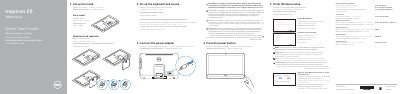
This guide helps you set up your Dell Inspiron 20-3052 computer quickly. It covers installing the stand, connecting peripherals, powering on, and configuring Windows. It also includes steps for connecting to a network and setting up your Microsoft or local account. Optional accessories like a pedestal stand or optical drive are noted as available.
The guide warns that if your computer has a built-in battery, keeping the power adapter connected when not in use will optimize battery life. It also includes diagrams of the computer’s ports and features, such as USB, audio, network, and camera ports, with labels in multiple languages.
Set up the easel stand or pedestal stand (optional) as described in the guide.
Keep the power adapter connected to your computer when it is not in use for optimal battery performance and life span.
Enter the password for the wireless network access when prompted.