
Dell Inspiron 11 3000 Series Quick Start Guide
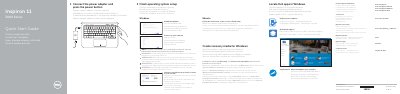
Two-page quick start guide for the Dell Inspiron 11 3000 Series laptop, computer model Inspiron 11-3162 (regulatory model P24T, regulatory type P24T001). It walks through connecting the power adapter, pressing the power button and finishing operating system setup for Windows or Ubuntu, then enabling Dell updates, connecting to a network, signing in with a Microsoft account or creating a local account, locating Dell apps in Windows and creating recovery media for Windows.
The second page lists the computer's features with numbered callouts — microphone, camera-status light, camera, power-adapter port, HDMI port, USB 3.0 port, media-card reader, left-click area, right-click area, headset port, USB 2.0 port, security-cable slot, power button and Service Tag label — and shows the shortcut keys. Product support, contact and regulatory links close the guide. The instructions are printed in English, Czech, German, Hungarian and Slovak.
| Computer model | Inspiron 11-3162 |
|---|---|
| Regulatory model | P24T |
| Regulatory type | P24T001 |
| Ports | Power-adapter port, HDMI port, USB 3.0 port, headset port, USB 2.0 port |
| Camera and audio | Microphone, camera-status light, camera, headset port |
| Security | Security-cable slot |
Connect the power adapter, press the power button, and follow the on-screen instructions to finish operating system setup.
Enter the password for the wireless network access when prompted.
Specifications are available at Dell.com/support, and manuals at Dell.com/support/manuals.
In Windows search, type Recovery, click Create a recovery drive, and follow the instructions on the screen.