
Key facts
Start here
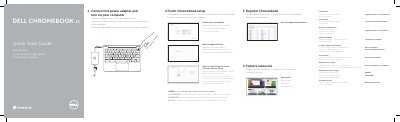
Dell Chromebook 11 Chromebook Quick Start Guide
This Quick Start Guide is for the Dell Chromebook 11 and covers the first steps after unboxing, including connecting the power adapter and turning on the computer.
It also describes Chromebook setup, network connection, Google account sign-in, registration, and support resources, and includes a numbered diagram of the computer's features.
Dell CHROMeBOOK 11 specifications
| Regulatory model | CYXWJ A00 |
|---|---|
| Input voltage | 90 VAC–240 VAC |
| Input current max | 1,7 A/90 VAC |
| Input frequency | 50 Hz–60 Hz |
| Output current | 3,34 A |
All Dell CHROMeBOOK 11 documents by type
The shortest path to a working setup, usually only a few pages.
- Dell Chromebook 11 Chromebook Quick Start Guide 2 p
- Dell Chromebook 11 Quick Start Guide 2 p
- Dell CHROMeBOOK 11 Quick Start Guide 2 p
- Dell Chromebook 11 Quick Start Guide 2 p
- Dell CHROMeBOOK 11 Quick Start Guide 2 p
- Dell Chromebook 11 3180 Quick Start Guide 2 p
- Dell Chromebook 11-3120 Quick Start Guide 2 p
Questions answered in these manuals
What is the computer model?
The computer model is Dell Chromebook 11.
What happens after a Google update?
The computer restarts after the Google update.
Will the computer restart after the update?
Yes, the computer will restart after the Google update is finished.
Where can I register my Chromebook?
You can register your Chromebook by visiting dell.com/support/registration.
What happens after the Google update?
Your computer will restart after the Google update.
What steps must be completed before signing in to the Google account?
You must connect the power adapter, turn on the computer, finish the Chromebook setup, connect to your network, and wait for the update to finish.