
Dell Chromebook 11 3180 Quick Start Guide

The Chromebook 11 3180 Quick Start Guide provides instructions on how to connect the power adapter, finish Chromebook setup, register your Chromebook, and use your Chromebook.
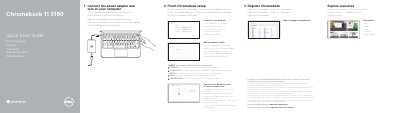

Dell Chromebook 11 3180 Quick Start Guide - cover page
Brand
DELL
Category
Laptops
Document type
Quick Start Guide
Language
English
Pages
2
File format
PDF
File size
559 KB
Published
19 November, 2023
Updated
19 November, 2023
MD5 checksum
EEF2FB913EE85E1DD62E2DCE426CDE53

About this manual

This document serves as a multilingual quick start guide for the Dell Chromebook 11 3180. It provides step-by-step instructions for initial setup, including connecting the power adapter, finishing the Chromebook configuration, connecting to a network, and signing in to a Google account. The guide also notes that the computer will restart after a Google update.

What's inside

  • Connect the power adapter
  • Finish Chromebook setup
  • Connect to your network
  • Sign in to your Google account
  • Register Chromebook
  • Features
  • Product support and manuals
  • Contact Dell
  • Regulatory and safety

Frequently asked questions

Will the computer restart after the update?

Yes, your computer will restart after the Google update.

Where can I find details on the Dell Limited Hardware Warranty?

You can visit the Dell support website for details on your warranty and service contracts.

Download PDF (559 KB)

More DELL Manuals


View all DELL manuals →