
Dell CHROMeBOOK 11 Quick Start Guide
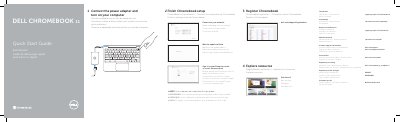
This document serves as a multilingual quick start guide for the Dell CHROMeBOOK 11. It outlines the initial setup process, which involves connecting the power adapter, finishing the Chromebook configuration, connecting to a network, and registering the device with Dell. The guide includes specific notes regarding computer restarts after Google updates.
| Regulatory Model Number | CYXWJ A00 |
|---|---|
| Input Voltage | 90 VAC–240 VAC |
| Input Current | 1,7 A/90 VAC |
| Input Frequency | 50 Hz–60 Hz |
| Output Current | 3,34 A |
| Output Voltage | 19,5 VDC |
Your computer will restart after the Google update.
You must connect the power adapter, turn on the computer, finish the Chromebook setup, connect to your network, and wait for the update to finish.
The computer will restart after the Google update.
The maximum input current is 1.7 A at 90 VAC.