
Key facts
Start here
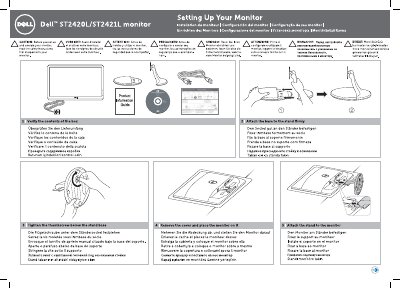
Dell ST2420 LV/ST2421L Monitor Installation Guide
This document provides multilingual instructions for setting up the Dell ST2420 LV and ST2421L monitors. It covers verifying the contents of the box, attaching the base to the stand, and securing the monitor to the stand. Safety instructions are provided in multiple languages before beginning the setup process.
Read onlineAll Dell ST2420 LV documents by type
Day-to-day operation, settings and troubleshooting. Start here if the product is already set up.
Mounting, wiring and first power-up. Read it before the hardware goes in.
Questions answered in these manuals
How do I connect the monitor?
Connect the monitor using only one of the following cables: the blue VGA cable, white DVI cable (optional purchase), or HDMI cable (optional purchase).
Where is the power button located?
Touch the power button with the light indicator below the Dell logo.
What should you do before setting up the monitor?
Read the safety instructions.
What step involves connecting the power cable?
Connectthe power cable.