
Key facts
- Brand
- Canon
- Model
- FAXPHONE L170
- Category
- Fax machine
- Industry
- Appliances
- Documents
- 3
- Languages
- EN · ES
- Last added
- 2023-10-15
Start here
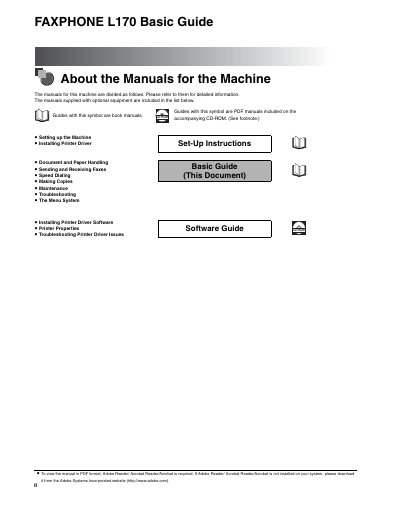
Canon FAXPHONE L170 Speed Dialing Guide
The document serves as a specific section of the larger user manual set, focusing exclusively on the 'Speed Dialing' function. It explains how to utilize this feature to quickly transmit faxes to frequently used numbers without manually entering digits each time.
The guide covers the operational procedures for setting up speed dial entries and executing transmissions using these stored numbers. It is designed for end-users operating the Canon FAXPHONE L170 machine.
Canon FAXPHONE L170 specifications
| Operating System Support | Windows 98, Windows Me, Windows 2000, Windows XP |
|---|---|
| CPU Requirement (Windows 98) | Intel Pentium 90 MHz or greater |
| RAM Requirement (Windows 98) | 32 MB or greater |
| Disk Space Requirement (Windows 98) | 100 MB or greater |
| RAM Requirement (Windows XP) | 64 MB or greater |
| Disk Space Requirement (Windows XP) | 500 MB or greater |
All Canon FAXPHONE L170 documents by type
Day-to-day operation, settings and troubleshooting. Start here if the product is already set up.
Questions answered in these manuals
What operating systems are supported by the Canon FAXPHONE L170 driver?
The driver supports Windows 98, Windows Me, Windows 2000, and Windows XP.
How can I find help for printer driver problems?
You can find help in this guide under 'Printer Driver Problems,' in the Basic Guide Chapter 13, or by using the online Help file provided with the driver software.
What is the recommended operating temperature range for the FAXPHONE L170?
The machine must stay between 50°F and 90.5°F (10°C and 32.5°C).
What type of power outlet is required to operate the FAXPHONE L170?
It must be plugged into a standard 120 V AC, 60 Hz, three-prong grounded outlet.
Does the machine have a power switch?
No, the machine has no power switch, so its power is on as long as it is plugged in.
What is the recommended maximum length for the USB cable?
For best results, use a cable that is no more than 5 meters long.