
Key facts
- Brand
- 3M
- Model
- X68
- Industry
- Electronics
- Documents
- 2
- Languages
- EN
- Last added
- 2012-07-06
Start here
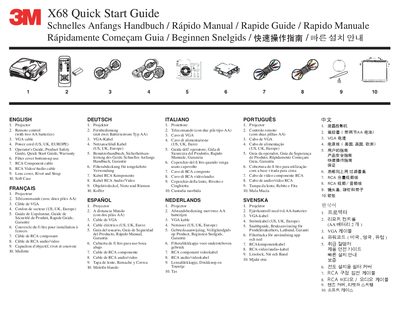
3M X68 Projector Quick Start Guide
Quick Start Guide 4 pages · 1.3 MB · EN
This document is a Quick Start Guide for the 3M X68 Projector. It lists the contents of the package, including the projector, remote control, cables, and accessories. The guide also provides a visual reference for the remote control buttons and their functions in multiple languages.
Read online3M X68 specifications
| Lamp Power | 230W |
|---|---|
| Supported Video Signals | NTSC/PAL/SECAM |
| Resolution | 1024 x 768 |
All 3M X68 documents by type
User Manual 1
Day-to-day operation, settings and troubleshooting. Start here if the product is already set up.
Quick Start Guide 1
The shortest path to a working setup, usually only a few pages.
Questions answered in these manuals
What type of batteries are required for the remote control?
The remote control requires two AA batteries.
Which power cord regions are supported for this projector?
The included power cord supports US, UK, and Europe regions.
How do I reset the projector if it does not operate correctly?
Push the Restart switch using a cocktail stick or similar tool after letting the projector cool down for at least 10 minutes.
What is the maximum screen size this projector can display?
The projector can project a maximum screen diagonal of 300 inches.