
Key facts
- Brand
- 3M
- Model
- MP7760
- Category
- Projector
- Industry
- Electronics
- Documents
- 3
- Languages
- EN
- Last added
- 2012-08-02
Start here
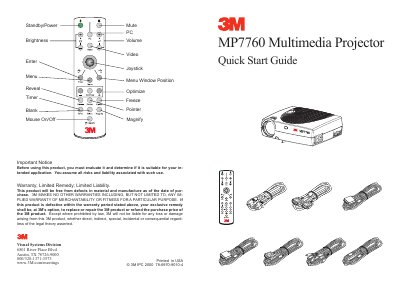
3M MP7760 Multimedia Projector Quick Start Guide
The 3M MP7760 Multimedia Projector is a visual display device designed for presentations. This guide outlines the initial setup steps, including connecting the projector to a computer and video sources like Laser Disc or DVD players.
The document details the start-up procedure, which involves connecting the PC or Mac, pressing the Standby/Power buttons, and adjusting the focus and zoom. It also includes a cautionary note regarding the power switch and the projector's internal fan cycle to ensure the lamp's longevity.
3M MP7760 specifications
| Native Resolution | XGA (1024 x 768) |
|---|---|
| Compressed Resolution | SXGA (1280 x 1024) |
| Lamp Power | 200W |
| Color Display | 16.7 million colors |
All 3M MP7760 documents by type
Day-to-day operation, settings and troubleshooting. Start here if the product is already set up.
The shortest path to a working setup, usually only a few pages.
Questions answered in these manuals
What is the intended use environment for this projector?
The projector was designed, built, and tested for use indoors using 3M lamps and nominal local voltages.
What safety precaution is required when looking at the lens?
Never look directly into the projector lens when the lamp is on to avoid eye damage from the high pressure mercury lamp.
What is the primary function of the 3M MP7760?
The 3M MP7760 is a multimedia projector designed for use with PCs and Macs.
What happens if you turn off the projector before the fan stops?
Switching the main power off before the fan has cycled will decrease the life of the lamp.