
This document is a quick start guide for the MP7760 Multimedia Projector, providing information on the product's features and usage.
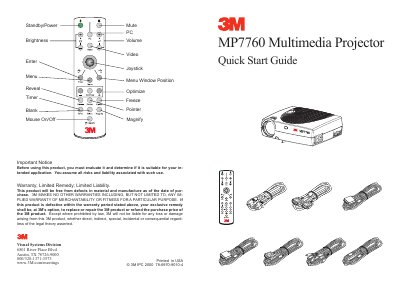
The 3M MP7760 Multimedia Projector is a visual display device designed for presentations. This guide outlines the initial setup steps, including connecting the projector to a computer and video sources like Laser Disc or DVD players.
The document details the start-up procedure, which involves connecting the PC or Mac, pressing the Standby/Power buttons, and adjusting the focus and zoom. It also includes a cautionary note regarding the power switch and the projector's internal fan cycle to ensure the lamp's longevity.
The 3M MP7760 is a multimedia projector designed for use with PCs and Macs.
Switching the main power off before the fan has cycled will decrease the life of the lamp.