
Key facts
- Brand
- Philips
- Model
- WAC3500D
- Category
- Other Electronics
- Industry
- Appliances
- Documents
- 2
- Languages
- RU · EN
- Last added
- 2026-11-14
Start here
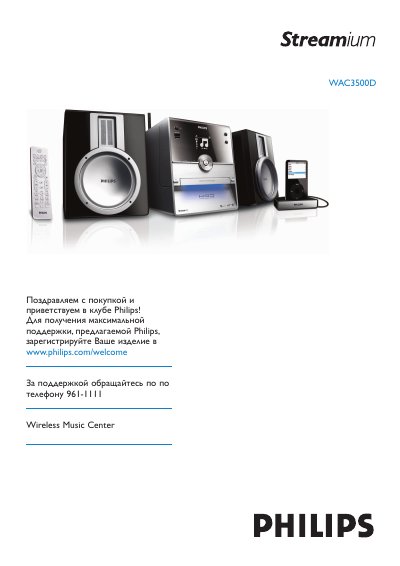
Philips WAC3500D Wireless Music Center User Manual
This manual provides instructions for the Philips WAC3500D Wireless Music Center, a home entertainment system designed for wireless music streaming and local playback. It covers essential topics such as unpacking, connecting the device to power and audio sources, and configuring the system for use. This manual is written in Russian.
Read onlinePhilips WAC3500D specifications
| AC Power | 230V ±10% |
|---|---|
| Dimensions (W x H x D) | 185 x 210 x 248 mm |
| Weight | approx. 5.5 kg (with speakers) / 3.5 kg (without speakers) |
| Power consumption (Active) | < 45 W |
| Power consumption (Standby) | < 20 W |
| Amplifier Output Power | 2 x 40 W RMS |
| Frequency response | 60 – 22,000 Hz (-3 dB) |
| Signal‑to‑noise ratio | > 72 dB (IEC) |
| Wireless standard | 802.11g (backwards compatible to 802.11b) |
| Wireless frequency range | 2412‑2462 MHz (CH1‑CH11) |
| FM tuner range | 87.5‑108 MHz |
| Number of FM presets | 60 |
| HD storage capacity | 80 GB (actual formatted capacity less) |
| USB player speed | 12 Mb/s, USB 1.1 |
| Speakers | 2‑way bass reflex system |
All Philips WAC3500D documents by type
Day-to-day operation, settings and troubleshooting. Start here if the product is already set up.
Questions answered in these manuals
What is the fuse rating for the UK mains plug?
The fuse should be a BS1362 5-Amp, A.S.T.A. or BSI approved type.
Why does the remote control not work?
Check the battery polarity, replace the batteries if needed, reduce the distance to the unit, and point the remote directly at the IR sensor.
What should I do if the screen is stuck in a menu?
Press the power‑saving button, and if the screen remains unresponsive, disconnect the power plug, wait a moment, then reconnect it to restart the unit.