
Key facts
- Brand
- Philips
- Model
- SA1106
- Documents
- 3
- Languages
- ZH
- Last added
- 2000-01-01
Start here
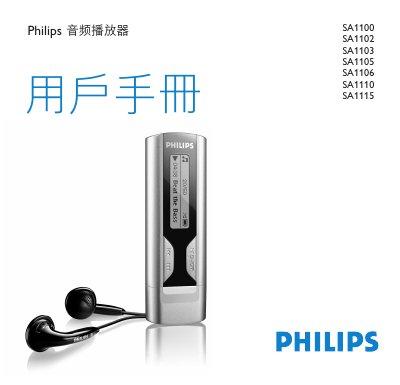
Philips GoGear SA1100/SA1102/SA1103/SA1105/SA1106/SA1110/SA1115 Audio Player User Manual
This Chinese-language user manual covers Philips GoGear audio players, models SA1100, SA1102, SA1103, SA1105, SA1106, SA1110, and SA1115. It explains controls and connections, battery installation, transferring music by USB, playback, voice recording, settings, firmware management, troubleshooting, technical data, and safety information.
The manual states that the players play MP3 and WMA music, support voice recording, use an AAA battery, and organize music in folders. It also describes playback modes, equalizer presets, folder skipping, and notes that internet-purchased DRM-protected WMA songs are not supported. This manual is written in Chinese.
Philips SA1106 specifications
| Supported audio formats | MP3 and WMA |
|---|---|
| Battery | AAA battery |
| Connection | USB mass storage device |
| Voice recording | Supported |
| Display | Dynamic menu, options, and track information |
| Equalizer presets | Rock, jazz, pop, classical, off |
| Folder skip | Highest-level folders only |
| DRM-protected WMA | Not supported for internet-purchased songs |
Source: Philips GoGear SA1100/SA1102/SA1103/SA1105/SA1106/SA1110/SA1115 Audio Player User Manual
All Philips SA1106 documents by type
Day-to-day operation, settings and troubleshooting. Start here if the product is already set up.
Questions answered in these manuals
How do I transfer music to the player?
Use Windows Explorer to select songs, then drag and drop them to the player; convert music CDs with Musicmatch Jukebox or Windows Media Player.
From: Philips GoGear SA1100/SA1102/SA1103/SA1105/SA1106/SA1110/SA1115 Audio Player User Manual
How do I create a voice recording?
Press REC to start recording and press REC again to stop.
From: Philips GoGear SA1100/SA1102/SA1103/SA1105/SA1106/SA1110/SA1115 Audio Player User Manual
How do I transfer music to the player?
Connect the player to a computer, then use drag and drop in Windows Explorer to transfer songs.
From: Philips SA1100/SA1102/SA1103/SA1106/SA1110 Audio Player User Manual
What audio formats does the player support?
The player supports MP3, WMA and WAV files.
From: Philips SA1100/SA1102/SA1103/SA1106/SA1110 Audio Player User Manual
How do I register my Philips music player?
Visit www.philips.com/register to register your product and receive notifications about free software upgrades.
From: Philips SA1100/SA1102/SA1103/SA1106/SA1110 Music Player User Manual
Can I play DRM-protected WMA files?
No, this player does not support DRM-protected WMA files from the internet.
From: Philips SA1100/SA1102/SA1103/SA1106/SA1110 Music Player User Manual