
Key facts
- Brand
- Philips
- Model
- SH402
- Category
- Headsets
- Industry
- Electronics
- Documents
- 3
- Languages
- EN · ES
- Last added
- 2026-11-17
Start here
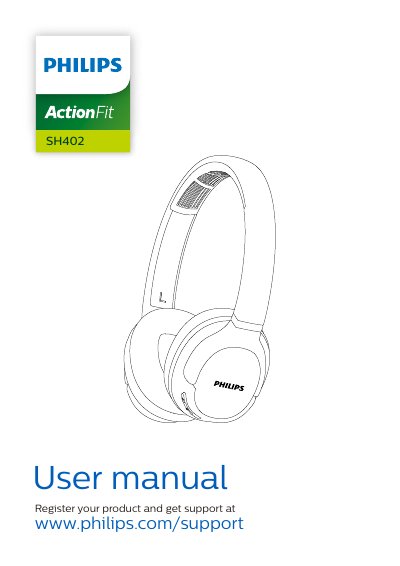
Philips SH402 Bluetooth Wireless Headphones User Manual
This user manual is for the Philips SH402 Bluetooth wireless headphones. It provides important safety instructions, hearing safety details, and general information about the headset and what is included in the box.
The guide explains how to charge the headphones, pair them with a mobile phone, and manage calls and music. It also describes how to wear the headset, read the LED indicator status, and lists the technical data and compliance notices.
Philips SH402 specifications
| Music time | 20 hours |
|---|---|
| Talk time | 20 hours |
| Standby time | 800 hours |
| Normal time for a full charge | 2 hours |
| Battery | Rechargeable lithium polymer battery (200 mAh) |
| Bluetooth version | Bluetooth 5.0 |
| Frequency range | 2.402-2.480GHz |
| Transmitter power | < 4dBm |
| Operating range | Up to 10 meters (33 feet) |
Source: Philips SH402 Bluetooth Wireless Headphones User Manual
All Philips SH402 documents by type
Day-to-day operation, settings and troubleshooting. Start here if the product is already set up.
Questions answered in these manuals
What is the headset password?
Enter the headset password “0000” (4 zeros) if prompted.
From: Philips SH402 Bluetooth Wireless Headphones User Manual
What should I check about the LED light during pairing?
Make sure that the LED light flashes blue and white alternately.
From: Philips SH402 Bluetooth Wireless Headphones User Manual
How long should I charge the headphones before first use?
Charge the battery for 5 hours before using the headphones for the first time.
What is the password to pair the headphones?
The pairing password is 0000 (four zeros).
How do I pair the earphones with my phone?
Before first use, turn on the earphones and enable Bluetooth on the phone, then follow the on‑screen prompts to complete pairing.
Why is the battery level low after charging?
If the earphones are not fully seated in the charging case or the USB cable is not properly connected, the battery may not charge correctly.