
Key facts
- Brand
- Philips
- Model
- HP4886
- Category
- Other
- Industry
- Appliances
- Documents
- 4
- Languages
- EN · ZH
- Last added
- 2011-09-25
Start here
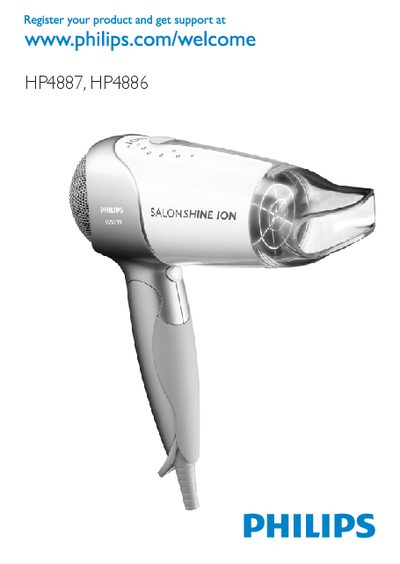
Philips HP4887/HP4886 Hair Dryer User Manual
This manual introduces the Philips SalonShine Ion hair dryer, describing its airflow and temperature controls, ion function, and optional attachments such as the concentrator and comb diffuser (HP4887 only). It also outlines safety precautions, including keeping the appliance away from water and checking voltage before use.
Instructions cover how to operate the dryer, use the ion and cool‑shot functions, clean and store the device, and obtain service or warranty support through Philips channels.
Philips HP4886 specifications
| Thermoprotect temperature | 57°C |
|---|---|
| Airflow settings | O = off, I = gentle airflow, II = strong airflow |
| Temperature settings | Quick-Dry, Thermoprotect, Cool Care |
| Ion generation | Negatively charged ions |
| Comb diffuser included with | HP4887 only |
Source: Philips HP4887 HP4886 SalonShine Ion Hairdryer User Manual
All Philips HP4886 documents by type
Day-to-day operation, settings and troubleshooting. Start here if the product is already set up.
Questions answered in these manuals
What does the Thermoprotect setting do?
It dries the hair at a constant, caring temperature of 57°C.
From: Philips HP4887 HP4886 SalonShine Ion Hairdryer User Manual
Which model comes with the comb diffuser?
The comb diffuser is supplied with the HP4887 only.
From: Philips HP4887 HP4886 SalonShine Ion Hairdryer User Manual
What attachments are available for the Philips HP4887 and HP4886 hairdryers?
A concentrator attaches to both models for precise drying. The HP4887 also takes a comb diffuser for volume, bounce, and additional shine.
What temperature settings does the hairdryer have?
The temperature switch offers Quick-Dry, Thermoprotect, and Cool Care settings. Thermoprotect dries hair gently at a constant temperature of 57°C.
What should I do if the hairdryer automatically shuts off?
The product may have overheated; unplug it and let it cool for a few minutes, and check that the outlet is not blocked by lint or hair.
How do I use the ionic function?
Press the ionic button to activate the function, which makes hair shinier and smoother; a special smell may occur during operation.