
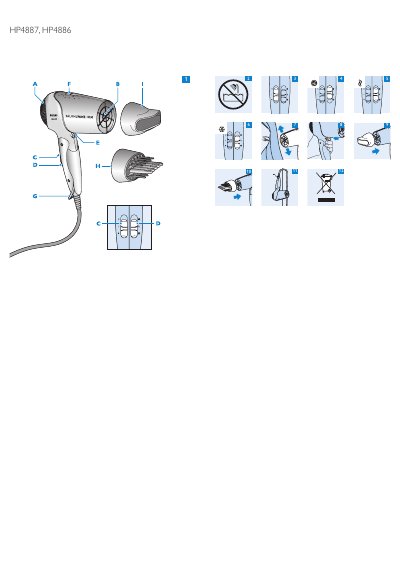
This user manual is for the Philips SalonShine Ion hairdryer, models HP4887 and HP4886. It describes the parts of the appliance, including the air inlet and outlet grilles, the airflow slide switch (O = off, I = gentle airflow, II = strong airflow), the temperature slide switch (Quick-Dry, Thermoprotect and Cool Care settings), the cool shot button, the ion button with indicator light, the hanging loop, the concentrator and the comb diffuser, which comes with the HP4887 only.
The manual gives safety warnings about water, the mains cord and overheating, and includes a note on electromagnetic fields. It explains how to dry hair, how to use the ion function, how to attach and remove the concentrator and comb diffuser, how to clean the appliance and attachments, storage by the hanging loop, disposal and recycling, guarantee and service contact details, and a troubleshooting table for common problems.
| Thermoprotect temperature | 57°C |
|---|---|
| Airflow settings | O = off, I = gentle airflow, II = strong airflow |
| Temperature settings | Quick-Dry, Thermoprotect, Cool Care |
| Ion generation | Negatively charged ions |
| Comb diffuser included with | HP4887 only |
It dries the hair at a constant, caring temperature of 57°C.
The comb diffuser is supplied with the HP4887 only.
Unplug the appliance and let it cool down for a few minutes, and check that the grilles are not blocked by fluff or hair.
Press the ion button; the ion indicator light goes on when the function is activated.