
Key facts
- Brand
- Panasonic
- Model
- DMC-FZ5GK
- Documents
- 2
- Languages
- JA · ZH
- Last added
- 2000-01-01
Start here
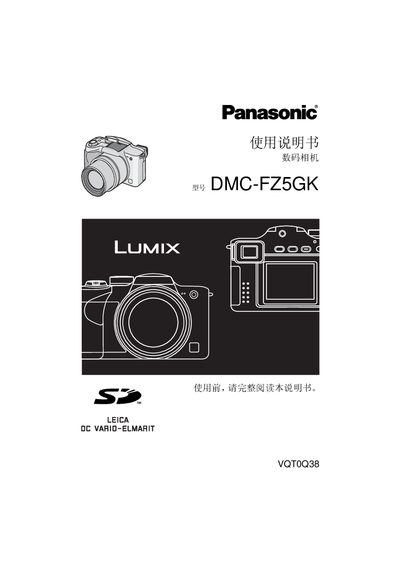
Panasonic DMC-FZ5GK Digital Camera User Manual
This manual begins with safety precautions, preparation steps, and a description of the camera's components and accessories. It explains how to insert batteries and memory cards, set the date and time, and use basic shooting modes such as auto, aperture‑priority, and shutter‑priority.
Later sections cover advanced functions like optical zoom, flash, self‑timer, exposure compensation, continuous shooting, playback, and connecting the camera to a PC or PictBridge printer. The final part lists detailed technical specifications and troubleshooting tips. This manual is written in Japanese.
Panasonic DMC-FZ5GK specifications
| Effective Pixels | 5,000,000 pixels |
|---|---|
| Image Sensor | 1/2.5" CCD, 5,360,000 total pixels |
| Digital Zoom | Maximum 4× digital zoom |
| Continuous Shooting Speed | 3 fps (high speed), 2 fps (low speed) |
| ISO Sensitivity | AUTO / 80 / 100 / 200 / 400 |
| Weight | ≈ 290 g (without battery and card) |
| Power Supply | DC 8.4 V |
All Panasonic DMC-FZ5GK documents by type
Day-to-day operation, settings and troubleshooting. Start here if the product is already set up.
Questions answered in these manuals
What is the maximum continuous shooting speed?
The camera can shoot at up to 3 frames per second in high‑speed continuous mode.
How should I store the battery when the camera is not in use?
Store the battery in a cool, dry place (15 °C‑25 °C, 40%‑60% humidity), remove it from the camera, and charge it at least once a year.
What should I do if water gets on the camera?
Rinse the camera with tap water using a soft cloth, wring the cloth out, then gently wipe the camera and dry it with a clean cloth.