
Key facts
Start here
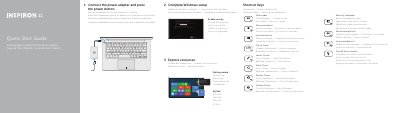
Dell Inspiron 3137 Laptop Quick Start Guide
This Dell Inspiron 3137 quick start guide helps users complete Windows setup, enable security, and get started with My Dell. It lists shortcut keys for audio, volume, charms, brightness, and wireless.
The guide also shows how to connect the power adapter and press the power button, and provides Dell contact and support websites. A feature diagram identifies the camera, USB ports, HDMI port, and power button.
Dell Inspiron 3137 specifications
| Input Voltage | 100 VAC–240 VAC |
|---|---|
| Input Frequency | 50 Hz–60 Hz |
| Output Voltage | 19.5 VDC |
| USB 3.0 Ports | 2 |
| USB 2.0 Ports | 1 |
| Microphones | 2 |
All Dell Inspiron 3137 documents by type
Day-to-day operation, settings and troubleshooting. Start here if the product is already set up.
The shortest path to a working setup, usually only a few pages.
Disassembly, diagnostics and part numbers, for repair.
- Dell Inspiron 3137 Service Manual 51 p
- Dell Inspiron 3137/3135/3138 Service Manual 50 p
- Dell Inspiron 3137/3135/3138 Service Manual 50 p
- Dell Inspiron 3137/3135/3138 Service Manual 49 p
- Dell Inspiron 3137/3135/3138 Service Manual 49 p
- Dell Inspiron 3137 Service Manual 51 p
- Dell Inspiron 11 3137 Owner's Manual 49 p
Questions answered in these manuals
How do I turn off or on wireless?
Use the Shortcut Key labeled 'Turn off or on wireless' to activate or deactivate the wireless connection.
Where is the power button located?
The power button is labeled as item 16 on the laptop chassis.
How do I turn off or on wireless?
Use the 'Turn off or on wireless' shortcut key to activate or deactivate the wireless connection.
Where is the power button located?
The power button is labeled as item 16 on the device features list.
What is the computer model?
The computer model is Inspiron 3137.
What is the regulatory model number?
The regulatory model number is P19T.