
Dell Inspiron 3137/3138 Laptop Quick Start Guide

A quick start guide for Dell laptop.
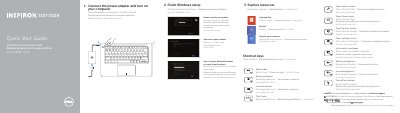

Dell Inspiron 3137/3138 Laptop Quick Start Guide - cover page
Brand
DELL
Category
Laptops
Document type
Quick Start Guide
Language
English
Pages
2
File format
PDF
File size
274 KB
Published
24 November, 2023
Updated
24 November, 2023
MD5 checksum
F59589892752A913E25687A7CAC63632

About this manual

This Dell Quick Start Guide covers the Inspiron 3137/3138 laptop. It explains how to connect the power adapter, finish Windows setup, enable security and updates, sign in to a Microsoft account, connect to a network, and explore resources.

The guide also lists shortcut keys, product features, port locations, and support information including dell.com/support and regulatory details.

What's inside

  • Connect the power adapter and turn on your computer
  • Finish Windows setup
  • Enable security and updates
  • Sign in to your Microsoft account or create a local account
  • Connect to your network
  • Explore resources
  • Shortcut keys
  • Features

Specifications

Computer modelInspiron 3137/3138
Regulatory model and typeP19T P19T001/P19T003
USB 2.0 portPresent
USB 3.0 portPresent
HDMI portPresent

Frequently asked questions

What is the computer model?

The computer model is Inspiron 3137/3138.

Where can I find product support and manuals?

Product support and manuals are available at dell.com/support and dell.com/support/manuals.

How do I turn wireless off or on?

Use the Turn off/on wireless function.

What is the regulatory model and type?

The regulatory model and type is P19T P19T001/P19T003.

Download PDF (274 KB)

More DELL Manuals


View all DELL manuals →