
Key facts
- Brand
- ABB
- Model
- M1M 30
- Category
- Monitoring Equipment
- Industry
- Industrial
- Documents
- 3
- Languages
- EN · ZH
- Last added
- 2026-11-15
Start here
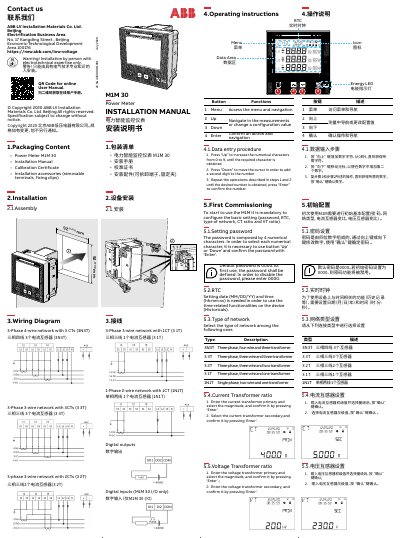
ABB M1M 30 Power Meter Installation Manual
This installation manual covers the ABB M1M 30 power meter, including packaging content, assembly, wiring diagrams, operating instructions, button functions, data entry procedures, and first commissioning.
It is intended for personnel with electrotechnical expertise and includes safety warnings for high-voltage work, technical data, and service and maintenance information.
All ABB M1M 30 documents by type
Mounting, wiring and first power-up. Read it before the hardware goes in.
Questions answered in these manuals
What is the default password for the ABB M1M 30?
The default password is 0000; enter 0000 to disable it.
What items are included in the M1M 30 packaging?
The package contains the Power Meter M1M 30, installation manual, calibration certificate, and installation accessories.
What is the default password for the M1M 30C?
The default password is 0000.
How do you confirm an action on the device?
Press the 'Enter' button to confirm an action and navigation.
Who is authorized to install the power meter?
Installation must be performed by a person with electrotechnical expertise only.
What are the network types supported by the M1M 30C?
The device supports three-phase four-wire networks with 3 CTs, three-phase three-wire networks with 3 CTs, and three-phase three-wire networks with 2 CTs.