
Key facts
Start here
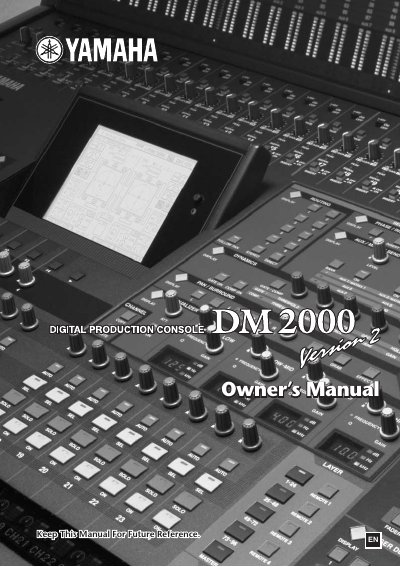
Yamaha DM2000 Digital Production Console Owner's Manual
This document is the Owner's Manual for the Yamaha DM2000 Digital Production Console. It provides essential information regarding safety precautions, including proper grounding, power cord usage, and environmental conditions to prevent fire or electrical shock hazards.
The manual details operational notes such as connector wiring standards (XLR and TRS), battery replacement procedures for data backup, and guidelines for transporting the unit with optional accessories like the MB2000 Peak Meter Bridge.
Yamaha DM2000 specifications
| Windows Processor Requirement | 433 MHz or faster Intel Pentium or Celeron family processor |
|---|---|
| Windows Memory Requirement | 128 MB or more |
| Windows Hard Disk Requirement | 20 MB or more of free space |
| Macintosh Processor Requirement | G3/233 MHz or better |
| Macintosh Memory Requirement | 50 MB or more of free memory |
| Macintosh Hard Disk Requirement | 7 MB or more |
Source: Yamaha Studio Manager for DM2000/02R96 Installation Guide
All Yamaha DM2000 documents by type
Day-to-day operation, settings and troubleshooting. Start here if the product is already set up.
- Yamaha DM2000 V2.2 Supplementary Manual 8 p
- Yamaha DM2000 V2.1 Supplementary Manual 4 p
- Yamaha DM2000 Digital Mixing Console User Manual 402 p
- Yamaha DM2000 Digital Production Console Owner's Manual 403 p
- Yamaha DM2000 Editor Owner's Manual 34 p
- Yamaha DM2000 Studio Manager Owner's Manual 37 p
- Yamaha Studio Manager for DM2000 Owner's Manual 44 p
- Yamaha DM2000 Update V1.1 Update Guide 4 p
Mounting, wiring and first power-up. Read it before the hardware goes in.
- Yamaha Studio Manager for DM2000/02R96 Installation Guide 22 p
- YAMAHA Studio Manager for DM2000/O2R96 Installation Guide 22 p
- YAMAHA DM2000/O2R96/DM1000/O1V06 Studio Manager V2 Installation Guide 15 p
- Yamaha DM2000/02R96/DM1000 Version2 System Software Installation Guide 13 p
- Yamaha Studio Manager V2 Installation Guide for DM2000/02R96/DM1000/01V96 15 p
How to use the product for one specific task, with worked examples.
Questions answered in these manuals
Is the Yamaha CBX Driver required for USB connections?
No, the Yamaha CBX Driver is a serial driver necessary only if you are connecting to a serial port on your PC.
From: Yamaha Studio Manager for DM2000/02R96 Installation Guide
What is the minimum display resolution recommended for Studio Manager?
A resolution of 1280 x 1024 with High Color 16-bit is recommended.
From: Yamaha Studio Manager for DM2000/02R96 Installation Guide
What new Add-On Effects Packages are available in Version 2.20?
The available packages are the AE041 Surround Post Package and the AE051 Vintage Stomp Package.
Which cards are supported in Version 2.11?
Version 2.11 supports the Waves Y96K Plug-in DSP card and the MY16-mLAN interface card.
Are THX presets available for the DM2000?
Yes, presets for the THX pm3 monitor system have been added to the bass management settings.
Is the MY16-C card supported?
Yes, the MY16-C CobraNet interface card is supported, but only one can be used simultaneously in SLOT 1-3.