
This document is a quick start guide for Philips products, providing instructions on installation and usage.
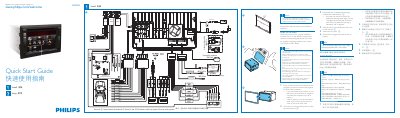
This guide explains how to install the Philips CID2780 car audio system, register the product, and safely operate the unit. It includes safety cautions, wiring instructions, and mounting details.
Additional sections cover Bluetooth pairing procedures, remote‑control battery replacement, and troubleshooting tips for common issues. This manual is written in Chinese.
| Operating Voltage | 12 V DC |
|---|---|
| Battery Type (remote control) | CR2025 |
Turn on Bluetooth, search for devices, select “CID2780”, and enter the default password “0000”.
The remote control uses a single CR2025 battery with correct polarity.