
User manual for the Philips AS111 Android music dock, covering Bluetooth playback, charging, DockStudio setup, clock and alarm settings, and troubleshooting.
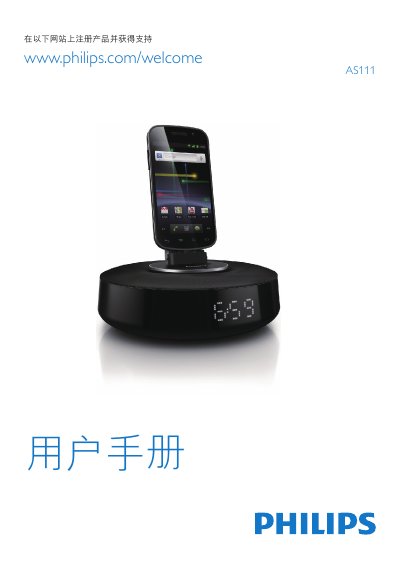
The Philips AS111 is an Android music dock that can play audio from Bluetooth devices and charge devices through a micro USB connection. It also has a clock display and adjustable display and night-light brightness. The manual covers power connection, standby, time setting, Bluetooth pairing, installing DockStudio, Songbird, Internet radio, sleep timer, alarm timer, specifications, and troubleshooting.
The manual lists compatibility requirements of Android 2.1 or later, Bluetooth 2.1 or later, and a micro USB connector. Specifications include a 2 x 2 W RMS amplifier, 75 dBA signal-to-noise ratio, an S018KC0590240 AC adapter with 5.9 V 2.4 A output, 8 W operating power, and a 171 x 102.6 x 171 mm main unit weighing 0.605 kg. It also includes disposal information and Bluetooth troubleshooting notes. This manual is written in Chinese.
| Rated output power | 2 x 2 W RMS |
|---|---|
| Signal-to-noise ratio | 75 dBA |
| AC adapter model | S018KC0590240 |
| AC adapter output | 5.9 V, 2.4 A |
| Operating power consumption | 8 W |
| Standby power consumption | Less than 1 W |
| Charging current via micro USB | Max. 1 A |
| Dimensions (main unit) | 171 x 102.6 x 171 mm |
| Weight (main unit) | 0.605 kg |
| Bluetooth operating range | Approx. 10 m (30 ft) |
When [PHILIPS AS111] appears on your device, select it to start the connection.
The Android device must have Android 2.1 or later.
In standby mode, hold CLOCK/NIGHT LIGHT for 2 seconds to enable clock setting mode.
The box contains the main unit, power adapter, dock extension, and quick start guide.