
PT-BX200NT is a 4,000 lumen 600:1 XGA high brightness projector that features high brightness, high contrast and long life. It is equipped with Dynamic Clarity Technology (ACF) that can eliminate image jitter, making images clearer and smoother. This projector also supports a variety of connectivity options, including HDMI, VGA, USB, etc.
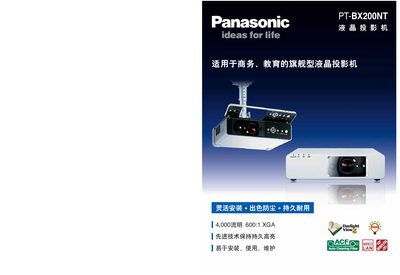
This manual describes the key features of the PT‑BX200NT, including a 4,000 lumens brightness, 600:1 contrast ratio, and a durable inorganic LCD panel with an automatic cleaning filter (ACF). It also covers the projector’s flexible installation options, dust‑proof design, and long‑life 5,000‑hour lamp.
Installation and connectivity sections explain wired LAN (PJLink class 1), DVI‑D, HDMI, serial input, and wireless projection via the ME 5.5 software. Maintenance procedures cover filter replacement, lamp changes, and remote power‑off, while safety information includes lock and password features. This manual is written in Chinese.
| Brightness | 4,000 lumens |
|---|---|
| Contrast Ratio | 600:1 |
| Lamp Power | 250 W UHM |
| Input Voltage | 100‑240 V 50/60 Hz |
| Power Consumption (Standby) | 4 W (standby), 25 W (network standby), 35 W (audio output) |
| Resolution | 1024 × 768 (XGA) |
The ACF filter replacement cycle is 1.66 times longer than that of the ARF filter.
It supports a wired LAN interface with PJLink class 1 and can be monitored by multi‑projector control software.
Wireless projection is enabled via the ME 5.5 software, allowing single‑screen or multi‑screen operation without cables.