
Key facts
- Brand
- NEC
- Model
- VT770
- Category
- Projector
- Industry
- Electronics
- Documents
- 8
- Languages
- EN · SV · ES · IT · DE
- Last added
- 2012-05-10
Start here
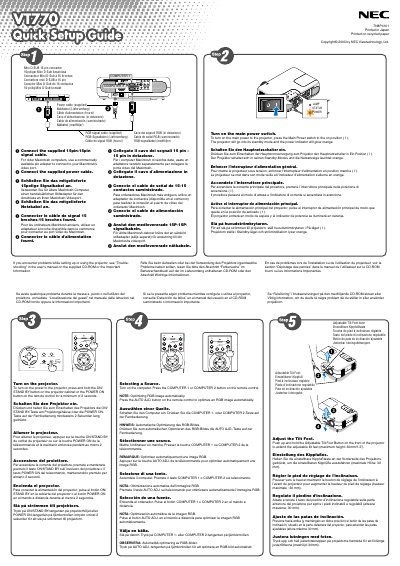
NEC VT770 Projector Quick Start Guide
This Quick Start Guide explains how to install and operate the NEC VT770 projector. It includes instructions for connecting power and signal cables, turning the unit on, and selecting a video source.
The guide also describes how to adjust the adjustable tilt foot, use the zoom and focus rings, and correct trapezoidal distortion with both automatic and manual keystone functions.
All NEC VT770 documents by type
Day-to-day operation, settings and troubleshooting. Start here if the product is already set up.
The shortest path to a working setup, usually only a few pages.
Questions answered in these manuals
How do I turn on the NEC VT770 projector?
Press and hold the ON/STAND BY button on the projector cabinet or the POWER ON button on the remote control for at least 2 seconds.
How can I enable the high‑speed fan mode?
Select Configuración → Página 4 → Modo de ventilación in the on‑screen menu.
How far should the projector be placed from the wall for proper ventilation?
Leave at least 4 inches (10 cm) of space between the projector and the wall.
What type of power cable is required for use in the United Kingdom?
A BS‑approved power cable with a black fuse plug must be used.
What safety precaution should be taken to avoid electric shock?
Do not open the projector enclosure; only qualified service personnel should perform repairs.
How far should the projector be placed from the wall for proper ventilation?
Leave at least 4 inches (10 cm) of space between the projector and the wall.