
Key facts
Start here
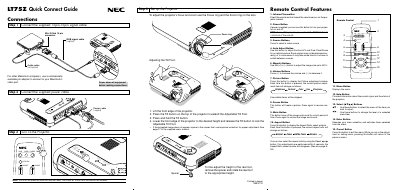
NEC LT75Z Quick Connect Guide
This guide provides step‑by‑step instructions for setting up the NEC LT75Z projector, including connecting the supplied 15‑pin spin cable, power cable, and RGB video cable. It also explains how to adjust focus, zoom, and the tilt foot, and offers basic troubleshooting tips.
The remote control section describes each button’s function, such as power, source selection, auto‑adjust, magnify (up to 400%), volume, picture adjustments, and menu navigation. The guide includes a menu tree, basic/advanced menu options, and status‑light messages to help resolve common issues.
All NEC LT75Z documents by type
Day-to-day operation, settings and troubleshooting. Start here if the product is already set up.
The shortest path to a working setup, usually only a few pages.
Questions answered in these manuals
When should the lamp be replaced?
Replace the lamp when the message 'The lamp has reached the end of its usable life. Please replace the lamp.' appears.
How long must I wait before replacing the lamp?
Allow a minimum of 90 seconds to elapse after turning off the projector, then disconnect the power cable and allow 60 minutes to cool.
How do I turn off the NEC LT75Z projector?
Press and hold the POWER button on the remote control for at least two seconds.
How can I increase the projected image size?
Use the magnify (+) or (‑) buttons on the remote to enlarge the image up to 400%.