
How to adjust the projector's foot
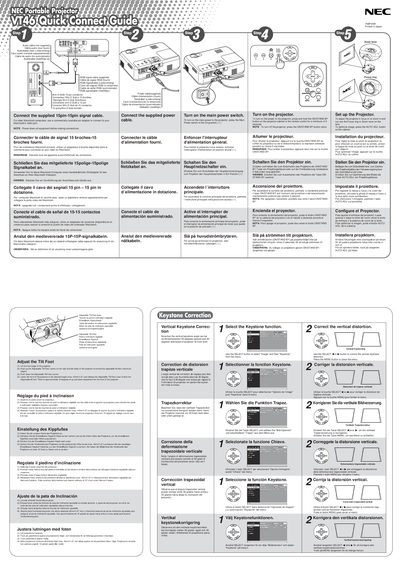
The guide explains how to connect the supplied 15‑pin signal cable and power cable, turn the projector on by pressing and holding the ON/STAND BY button for at least two seconds, and adjust focus, zoom, and tilt using the focus ring and zoom lever. It also describes how to select the video source (RGB, VIDEO, S‑VIDEO) and use the menu to correct vertical keystone distortion.
A troubleshooting section lists common problems such as power‑up failures, lamp errors, overheating, and image issues, with corresponding checks and solutions. Indicator light meanings for power, status, and lamp are detailed, and instructions for replacing the lamp or lamp cover are included.
It indicates a lamp‑cover error or lamp error; replace the lamp cover or the lamp.
Use the SELECT button to choose Image, then Keystone, and adjust the setting in the menu.