
Key facts
Start here
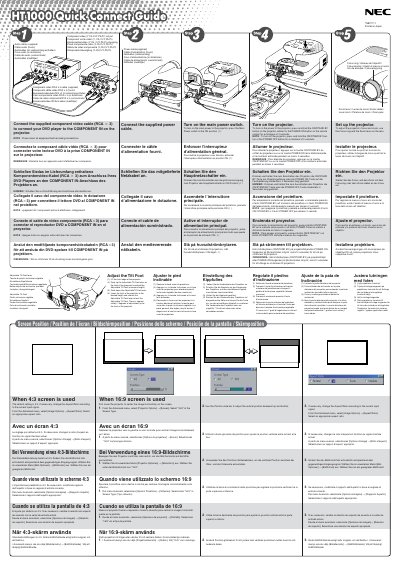
NEC HT1000 Quick Connect Guide
This guide explains how to connect the supplied component video, audio, and power cables to the NEC HT1000 projector, and how to turn the unit on using the main power switch or remote control. It also covers basic adjustments such as focus, zoom, and the adjustable tilt foot.
Additional sections describe screen position settings for 4:3 and 16:9 displays, indicator meanings, lamp life warnings, and common troubleshooting steps for power, lamp, and fan errors.
NEC HT1000 specifications
| Lamp life (normal mode) | 1500 hours |
|---|---|
| Power supply | 100‑120 V or 200‑240 V, 50/60 Hz |
| Sound pressure level | < 70 dB(A) |
| Maximum screen size | up to 200" diagonal |
Source: NEC HT1000 Projector User Manual
All NEC HT1000 documents by type
Day-to-day operation, settings and troubleshooting. Start here if the product is already set up.
The shortest path to a working setup, usually only a few pages.
Questions answered in these manuals
What is the minimum space required between the projector and a wall?
You must allow at least 3 inches (10 cm) of space to ensure sufficient ventilation.
How long should you wait after turning off the projector before replacing the lamp?
You must allow a minimum of 90 seconds to elapse and then disconnect power.
How do I turn on the projector?
Press and hold the ON/STAND BY button on the projector cabinet or the POWER ON button on the remote for at least 2 seconds.
How do I adjust focus and zoom?
Use the focus ring and the zoom lever on the lens.
What power supply does the HT1000 require?
The projector is designed for a mains voltage of 100‑120 V or 200‑240 V at 50/60 Hz.
What voltage does the projector require?
The projector can be powered with either 100‑120 V or 200‑240 V at 50/60 Hz.