
This document explains how to correctly install printer drivers and add a printer.
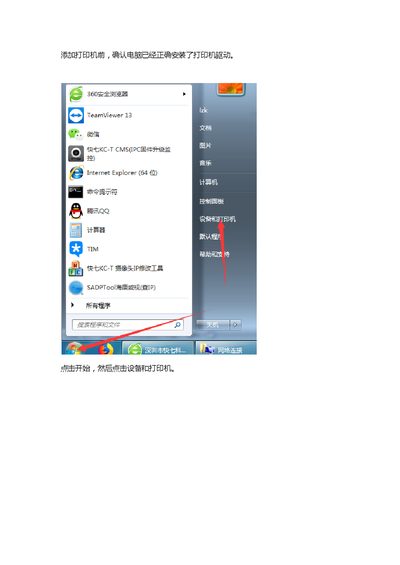
This document provides instructions for adding a printer to a computer system. It covers the initial steps of confirming driver installation and selecting the method for adding the printer, such as adding a local printer for USB connections or a network printer for IP-based setups. This manual is written in Chinese.
Select 'Add Local Printer' if the computer has been connected to the printer via USB.
Select 'Add Network, Wireless or Bluetooth Printer' if the printer is connected via network or Bluetooth.
The guide recommends using 'standard TCP/IP Port' for network connections.