
Key facts
Start here
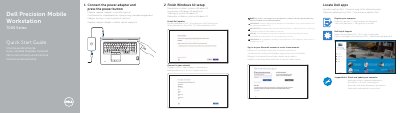
Dell Precision 7000 Series (7710) Mobile Workstation Quick Start Guide
This two-page Dell quick start guide covers the first steps for the Precision Mobile Workstation 7000 Series, identified in the document as the Dell Precision -7710 (regulatory model P29E, regulatory type P29E001). It shows how to connect the power adapter and press the power button, run SupportAssist to check and update the computer, register the computer, and locate Dell apps and Dell Help & Support.
The second part walks through finishing Windows 10 setup: connecting to a network (entering the wireless password when prompted for a secured network), enabling Dell updates, and signing in to a Microsoft account or creating a local account. A labeled features page lists the computer's parts, including the microphone, optional camera, network and power connectors, USB 3.0, headset, memory card reader, Mini DisplayPort, HDMI and optional USB-C connectors, docking connector, status lights and service-tag label.
Dell Precision 7000 Series (7710) specifications
| Computer model | Dell Precision -7710 |
|---|---|
| Regulatory model | P29E |
| Regulatory type | P29E001 |
| Camera | Optional |
| USB-C connector | Optional |
| Fingerprint reader | Optional |
| Display connectors | Mini DisplayPort connector, HDMI connector |
| Card reader | Memory card reader, smartcard reader (optional), contactless smartcard reader (optional) |
Source: Dell Precision 7000 Series (7710) Mobile Workstation Quick Start Guide
All Dell Precision 7000 Series (7710) documents by type
The shortest path to a working setup, usually only a few pages.
- Dell Precision 7000 Series (7710) Mobile Workstation Quick Start Guide 2 p
- Dell Precision 7000 Series 7710 Mobile Workstation Quick Start Guide 2 p
- Dell Precision 7000 Series (7710) Mobile Workstation Quick Start Guide 2 p
- Dell Precision 7000 Series (7710) Mobile Workstation Quick Start Guide 2 p
- Dell Precision 7000 Series 7710 Mobile Workstation Quick Start Guide 2 p
- Dell Precision 7000 Series (7710) Mobile Workstation Quick Start Guide 2 p
- Dell Precision 7000 Series 7710 Mobile Workstation Quick Start Guide 2 p
- Dell Precision 7000 Series (7710) Mobile Workstation Quick Start Guide 2 p
- Dell Precision 7000 Series 7710 Mobile Workstation Quick Start Guide 2 p
Questions answered in these manuals
How do I start the computer?
Connect the power adapter and press the power button.
From: Dell Precision 7000 Series (7710) Mobile Workstation Quick Start Guide
What should I do when connecting to a secured wireless network?
Enter the password for the wireless network access when prompted.
From: Dell Precision 7000 Series (7710) Mobile Workstation Quick Start Guide
How do I start the computer?
Connect the power adapter and press the power button.
From: Dell Precision 7000 Series 7710 Mobile Workstation Quick Start Guide
What should I do if I connect to a secured wireless network?
Enter the password for the wireless network access when prompted.
From: Dell Precision 7000 Series 7710 Mobile Workstation Quick Start Guide
How do I start the computer?
Connect the power adapter and press the power button.
From: Dell Precision 7000 Series (7710) Mobile Workstation Quick Start Guide
What should I enter when connecting to a secured wireless network?
Enter the password for the wireless network access when prompted.
From: Dell Precision 7000 Series (7710) Mobile Workstation Quick Start Guide