
Dell Precision 7000 Series 7710 Mobile Workstation Quick Start Guide

Dell Precision Mobile Workstation 7000 Series Quick Start Guide
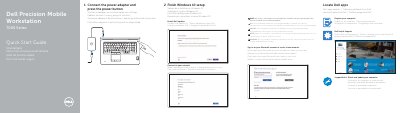

Dell Precision 7000 Series 7710 Mobile Workstation Quick Start Guide - cover page
Brand
DELL
Category
Laptops
Document type
Quick Start Guide
Language
English
Pages
2
File format
PDF
File size
308 KB
Published
25 November, 2023
Updated
25 November, 2023
MD5 checksum
DD4B078EBF18D9D4E03FCDF7D3455C0B

About this manual

This quick start guide covers initial setup of the Dell Precision 7710 mobile workstation, including connecting the power adapter, pressing the power button, using SupportAssist, registering the computer, and completing Windows 10 setup.

It also lists the workstation's features and connectors, such as USB 3.0, HDMI, Mini DisplayPort, card readers, and the service-tag label, and provides Dell support contacts and regulatory information.

What's inside

  • Connect the power adapter and press the power button
  • SupportAssist
  • Register your computer
  • Dell Help & Support
  • Locate Dell apps
  • Finish Windows 10 setup
  • Features
  • Regulatory and safety

Specifications

Computer modelDell Precision -7710

Frequently asked questions

How do I start the computer?

Connect the power adapter and press the power button.

What should I enter when connecting to a secured wireless network?

Enter the password for the wireless network access when prompted.

What is the computer model?

The computer model is Dell Precision -7710.

Download PDF (308 KB)

More DELL Manuals


View all DELL manuals →