
The Dell Precision Mobile Workstation 7000 Series Quick Start Guide provides information on how to use the notebook.
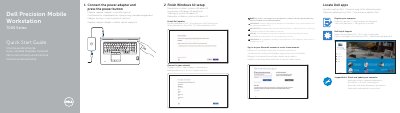
This two-page quick start guide covers initial setup for the Dell Precision 7000 Series (7710) mobile workstation. It explains connecting the power adapter, using SupportAssist to check and update the computer, registering the computer, locating Dell apps, finishing Windows 10 setup, enabling Dell updates, connecting to a network and signing in to a Microsoft account or creating a local account.
The second page labels 25 features and connectors, including the microphone, optional camera, network and power connectors, power button, USB 3.0 connectors, headset connector, memory card reader, optional fingerprint reader, status lights, speakers, touchpad, optional smartcard readers, Mini DisplayPort, HDMI, optional USB-C, docking connector, service-tag label and door/battery release latch. It also lists Dell support, contact and regulatory links, with regulatory model P29E and computer model Dell Precision -7710.
| Computer model | Dell Precision -7710 |
|---|---|
| Regulatory model | P29E |
| Regulatory type | P29E001 |
Connect the power adapter and press the power button.
Use Dell.com/support/manuals for product support and manuals.
Enter the password for the wireless network access when prompted.
The computer model is Dell Precision -7710.