
Key facts
Start here
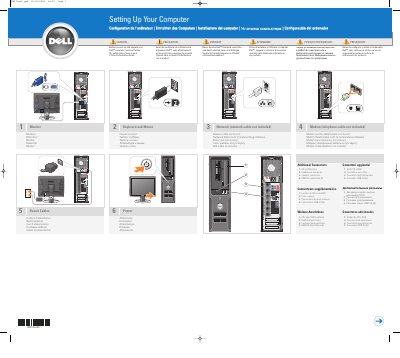
Dell MK311 Computer Setup Instructions
User Manual 2 pages · 2.7 MB · EN
This document provides setup instructions for the Dell MK311 computer. It details the connections for the monitor, keyboard, mouse, network cable, modem, and power cables. The guide includes diagrams and labels in multiple languages.
Read onlineAll Dell MK311 documents by type
User Manual 1
Day-to-day operation, settings and troubleshooting. Start here if the product is already set up.
Installation Guide 1
Mounting, wiring and first power-up. Read it before the hardware goes in.
Questions answered in these manuals
What should I read before setting up and operating a Dell computer?
You should read and follow the safety instructions in the Product Information Guide.
Is a network cable included?
No, the network cable is not included.
Where can I find the Owner's Manual?
Double-click the owner's manual icon on your Microsoft Windows desktop.
How do I get help with the Windows operating system?
Click the Start button and select Help and Support, then click Microsoft Windows XP Tips.