
Key facts
- Brand
- DELL
- Model
- MD3200i
- Category
- Storage devices
- Documents
- 3
- Languages
- EN
- Last added
- 2023-11-24
Start here
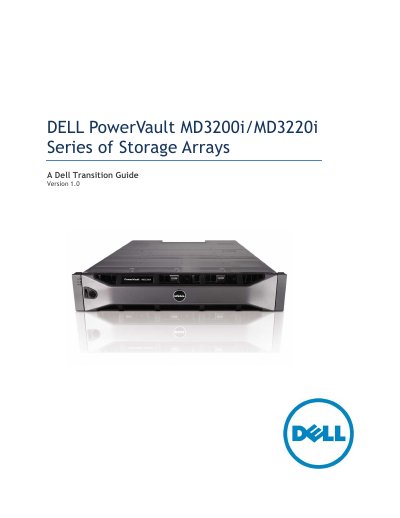
Dell PowerVault MD3200i/MD3220i Series Storage Arrays Transition Guide
This document serves as a transition guide for the Dell PowerVault MD3200i and MD3220i Series of Storage Arrays, intended for informational purposes to assist in moving from the previous MD3000i generation. It details the new features, product positioning, and specific configurations available for these iSCSI SAN arrays.
Read onlineDell MD3200i specifications
| Controller Cache | 2GB per controller (4GB total in dual controller configuration) |
|---|---|
| Ethernet Ports | Four 1Gb Ethernet ports per controller |
| SAS Expander | 36-port 6Gb/s SAS expander |
| Supported RAID Configurations | Multiple RAID configurations supported |
| Maximum Servers Supported | Up to 32 physical servers |
Source: Dell PowerVault MD3200i/MD3220i Storage Arrays Technical Guide
All Dell MD3200i documents by type
Day-to-day operation, settings and troubleshooting. Start here if the product is already set up.
Mounting, wiring and first power-up. Read it before the hardware goes in.
Questions answered in these manuals
What is the maximum number of physical servers supported by the MD3200i series?
Each model is capable of supporting up to 32 physical servers.
From: Dell PowerVault MD3200i/MD3220i Storage Arrays Technical Guide
What are the key features of 6Gb SAS 2.0?
6Gb/s SAS Signaling, DFE (Decision Feedback Equalization), SSC (Spread Spectrum Clocking), SED (Self-Encrypting Drive) support, 2nd generation SAS Discovery, standardized zoning, and support for up to 256 devices.
From: Dell PowerVault MD3200i/MD3220i Storage Arrays Technical Guide
What is the maximum number of hard disk drives supported?
The arrays support expansion to a maximum of 96 hard disk drives using MD1200 and/or MD1220 enclosures.
From: Dell PowerVault MD3200i/MD3220i Series Storage Arrays Transition Guide
Can SAS, near-line SAS, and SSD drives be mixed?
Yes, the ability to mix SAS, near-line SAS and SSD drives within the same enclosure supports blending drives for different performance tiers.
From: Dell PowerVault MD3200i/MD3220i Series Storage Arrays Transition Guide
What are the minimum memory requirements for the management station?
The management station requires at least 512 MB of RAM, with 1024 MB recommended.
From: Dell PowerVault MD3200i and MD3220i Storage Arrays Deployment Guide
How can iSCSI services be stopped on a Linux host?
Run the command `/etc/init.d/open-iscsi stop` to stop the iSCSI service.
From: Dell PowerVault MD3200i and MD3220i Storage Arrays Deployment Guide