
Key facts
Start here
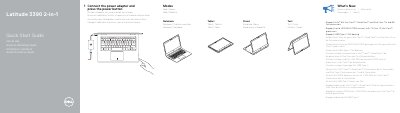
Dell Latitude 3390 2-in-1 Quick Start Guide
This document serves as a multilingual quick start guide for the Dell Latitude 3390 2-in-1 laptop. It provides essential setup instructions, including connecting the power adapter and pressing the power button to switch between Notebook and Tablet modes. The guide highlights key hardware features such as the infrared camera, microphones, various ports including USB Type-C, and the service tag label.
Read onlineDell Latitude 3390 2-in-1 specifications
| Supported Processors | Intel 8th Gen Core i Quad Core and Dual Core 7th and 6th Gen |
|---|---|
| Memory Support | Up to 2400 MHz DDR4 |
| Docking Support | USB Type-C Dell docking |
All Dell Latitude 3390 2-in-1 documents by type
The shortest path to a working setup, usually only a few pages.
Day-to-day operation, settings and troubleshooting. Start here if the product is already set up.
Disassembly, diagnostics and part numbers, for repair.
Questions answered in these manuals
How do I start the laptop?
Connect the power adapter and press the power button.
Where can I find product support?
Product support and manuals are available at Dell.com/support.
How do I start the Dell Latitude 3390 2-in-1?
Connect the power adapter and press the power button.
Where can I find Dell product support and manuals?
Visit Dell.com/support, Dell.com/support/manuals, and Dell.com/support/windows.
How do I turn on the Dell Latitude 3390 2-in-1 for the first time?
Connect the power adapter and press the power button.
Which operating modes are shown for this computer?
The guide shows Notebook, Tablet, Tent, and Stand modes.