
Dell Latitude 3390 2-in-1 Quick Start Guide
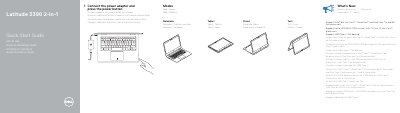
This Quick Start Guide for the Dell Latitude 3390 2-in-1 laptop covers the initial setup process, including connecting the power adapter and pressing the power button. It also explains how to switch between the Notebook and Tablet modes.
| Processor Support | Intel 8th Gen Core i Quad Core and Dual Core 7th and 6th Gen |
|---|---|
| Memory Support | Up to 2400 MHz DDR4 |
| Docking Support | USB Type-C Dell docking |
Connect the power adapter and press the power button.
The device supports Intel 8th Gen Core i Quad Core and Dual Core 7th and 6th Gen processors.
The laptop supports up to 2400 MHz DDR4 memory with 7th Gen Intel Core processors.
Yes, the Latitude 3390 2-in-1 supports USB Type-C Dell docking.