
Key facts
Start here
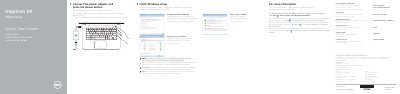
Dell Inspiron 14 5000 Series Quick Start Guide
This guide helps you set up your Dell Inspiron 14 5000 Series laptop. Connect the power adapter and press the power button to begin. Configure your Windows password and connect to your network, entering the wireless password if required. The guide also lists hardware features and shortcut keys for quick access to functions like volume control, brightness, and wireless toggles.
The guide includes a diagram of the laptop’s ports and components, such as HDMI, USB, camera, and battery indicators. It also provides regulatory and safety information, including voltage and frequency specifications, and notes that the product is made in China with Dell Mexico as the importer.
Dell Inspiron 14 5000 Series specifications
| Computer Model | Inspiron 14 5000 Series |
|---|---|
| Input Voltage | 100 V AC–240 V AC |
| Input Frequency | 50 Hz–60 Hz |
| Input Current | 1.30 A/1.60 A/1.70 A |
| Output Voltage | 19.50 V DC |
| Output Current | 2.31 A/3.34 A |
| Country of Origin | China |
All Dell Inspiron 14 5000 Series documents by type
The shortest path to a working setup, usually only a few pages.
- Dell Inspiron 14 5000 Series Quick Start Guide 2 p
- Dell Inspiron 14 5000 Series Computer Quick Start Guide 2 p
- Dell Inspiron 14 5000 Series Computer Quick Start Guide 2 p
- Dell Inspiron 14 5000 Series Laptop Quick Start Guide 2 p
- Dell Inspiron 14 5000 Series Quick Start Guide 2 p
- Dell Inspiron 14 5000 Series Laptop Quick Start Guide 2 p
- Dell Inspiron 14 5000 Series Laptop Quick Start Guide 2 p
- Dell Inspiron 14 5000 Series Quick Start Guide 2 p
- Dell Inspiron 14 5000 Series Computer Quick Start Guide 2 p
- Dell Inspiron 14 5000 Series Notebook Quick Start Guide 2 p
Disassembly, diagnostics and part numbers, for repair.
- Dell Inspiron 14 5000 Series Service Manual 84 p
- Dell Inspiron 14 5000 Series Service Manual 82 p
- Dell Inspiron 14 5000 Series Service Manual 108 p
- Dell Inspiron 14 5000 Series Service Manual 86 p
- Inspiron 14 5000 Series Notebook Owner's Manual 82 p
- Dell Inspiron 14 5000 Series (Inspiron 14-5457) Notebook Owner's Manual 105 p
- Dell Inspiron 14 5000 Series 14-5458 Laptop Service Manual 106 p
Day-to-day operation, settings and troubleshooting. Start here if the product is already set up.
Questions answered in these manuals
How do I connect to a secured wireless network?
Enter the wireless network password when prompted during setup.
Where is the regulatory label located?
The regulatory label is located in the battery bay.
How do I finish Windows setup?
Connect the power adapter and press the power button.
From: Dell Inspiron 14 5000 Series Computer Quick Start Guide
How do I protect the computer?
Click Start, then All Programs, then Dell Help Documentation.
From: Dell Inspiron 14 5000 Series Computer Quick Start Guide
What is the specific computer model covered by this service manual?
This manual covers the Inspiron 5443 computer model.
What is the regulatory type for this Inspiron 5443 computer?
The regulatory type for this computer is P49G001.