
Dell Inspiron 14 5000 Series Computer Quick Start Guide

This document provides instructions on how to set up and use a Dell computer.
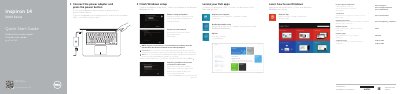

Dell Inspiron 14 5000 Series Computer Quick Start Guide - cover page
Brand
DELL
Category
Laptops
Document type
Quick Start Guide
Language
English
Pages
2
File format
PDF
File size
692 KB
Published
19 November, 2023
Updated
19 November, 2023
MD5 checksum
554897D682DCD959F175AC58A9558457

About this manual

This quick start guide is for Dell Inspiron 14 5000 Series computers, including Inspiron 5442 and Inspiron 5443 models. It outlines initial Windows setup steps such as connecting power, signing in, and registering the computer.

The guide also identifies the computer's external features and ports and lists shortcut keys for audio, brightness, wireless, and other functions.

What's inside

  • Finish Windows setup
  • Locate your Dell apps
  • Learn how to use Windows
  • My Dell
  • Connect the power adapter and press the power button
  • Register your computer
  • Dell Backup and Recovery
  • Product support and manuals
  • Features
  • Shortcut keys

Specifications

USB 2.0 port1
USB 3.0 ports2
HDMI port1
Network port1
Headset port1
Media-card reader1
Security-cable slot1

Frequently asked questions

How do I turn on the computer?

Connect the power adapter and press the power button.

Where can I find more specifications and support?

See Specifications at dell.com/support.

Download PDF (692 KB)

More DELL Manuals


View all DELL manuals →