
Key facts
- Brand
- Canon
- Model
- LV-7565F
- Industry
- Electronics
- Documents
- 2
- Languages
- EN · JA
- Last added
- 2012-07-06
Start here
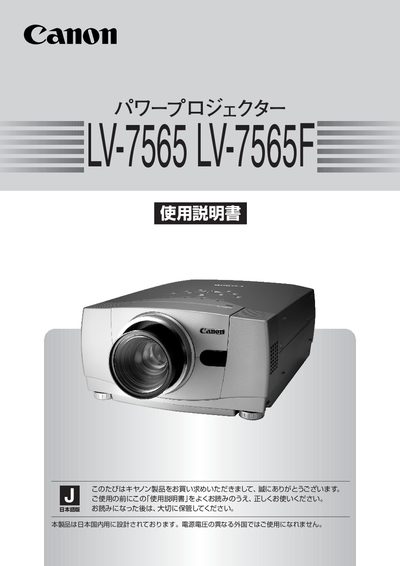
Canon LV-7565/7565F Projector User Manual
This manual describes the features of the LV-7565/7565F projector, including its 1024 × 768‑dot LCD panel, 300 W NSH lamp with Turbo Bright system, interchangeable lenses, electric lens‑shift, progressive scan, silent mode, wireless/wired remote with laser pointer, and support for six color systems (NTSC, NTSC‑4.43, PAL, SECAM, PAL‑M, PAL‑N). It also lists the available input connectors such as DVI‑D, D‑sub, component, S‑video, composite, USB, and control ports.
Safety warnings, installation guidelines, remote‑control setup, power‑cable connection, input selection, image adjustment, lamp replacement, cleaning, and warranty information are covered in detail. The manual also provides troubleshooting tips and contact details for Canon’s after‑service support. This manual is written in Japanese.
Canon LV-7565F specifications
| Resolution | 1024 × 768 dots |
|---|---|
| Lamp Power | 300 W NSH lamp |
| Supported Color Systems | NTSC, NTSC‑4.43, PAL, SECAM, PAL‑M, PAL‑N |
| Digital Video Interface | DVI‑D (digital visual interface) |
| Lens Shift | Electric lens‑shift function |
All Canon LV-7565F documents by type
Day-to-day operation, settings and troubleshooting. Start here if the product is already set up.
Questions answered in these manuals
What safety precaution is required before cleaning the projector?
You must unplug the projector from the AC power supply before cleaning it.
From: Canon LV-7565 LV-7565F Multimedia Projector Owner's Manual
What is the minimum clearance required for air circulation around the projector?
The minimum clearance required is 3.3 feet (1 meter) on the top, sides, and rear.
From: Canon LV-7565 LV-7565F Multimedia Projector Owner's Manual
What safety precautions should I observe before using the projector?
Read the safety section, avoid exposing the unit to water, fire, or dust, never look directly into the lens, and keep the projector on a stable, well‑ventilated surface.