
Key facts
Start here
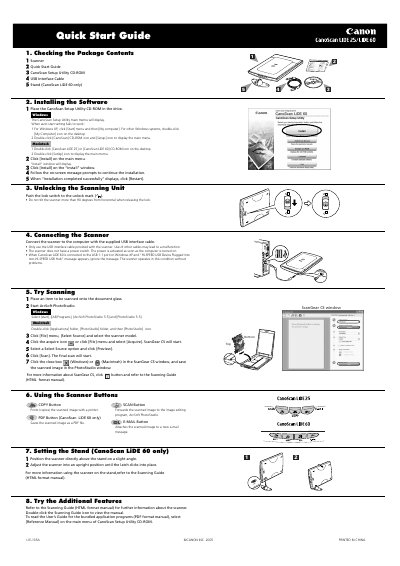
Canon CanoScan LiDE 25/LiDE 60 Color Image Scanner Quick Start Guide
The Canon CanoScan LiDE 25/LiDE 60 Quick Start Guide explains package contents, CanoScan Setup Utility software installation for Windows and Macintosh, unlocking the scanning unit, and connecting the scanner with the supplied USB interface cable. It also covers trial scanning with ArcSoft PhotoStudio and ScanGear CS, scanner button functions, and stand setup for the LiDE 60.
The guide lists specifications for both scanner models, including flatbed type, CIS scanning element, 3-color LED light source, 1200 x 2400 dpi optical resolution, USB interfaces, document size, buttons, operating range, power requirements, dimensions and weight.
Canon LiDE 60 specifications
| Scanning element | CIS (Color Contact Image Sensor) |
|---|---|
| Light source | 3-color (RGB) LED |
| Optical resolution | 1200 x 2400 dpi |
| Interface (CanoScan LiDE 60) | USB 2.0 Hi-Speed/USB (USB1.1 equivalent) |
| Maximum document size | A4/Letter: 216 x 297 mm (8.5 x 11.7 in.) |
| Scanner buttons | CanoScan LiDE 25: 3 buttons COPY, SCAN, E-MAIL; CanoScan LiDE 60: 4 buttons COPY, SCAN, E-MAIL PDF, E-MAIL |
| Power requirements | Supplied via USB port (no external adapter required) |
| Weight (CanoScan LiDE 25) | Approximately 1.5 kg (3.3 Ibs) |
| Weight (CanoScan LiDE 60) | Approximately 1.74 kg (3.9 Ibs) |
Source: Canon CanoScan LiDE 25/LiDE 60 Color Image Scanner Quick Start Guide
All Canon LiDE 60 documents by type
The shortest path to a working setup, usually only a few pages.
Day-to-day operation, settings and troubleshooting. Start here if the product is already set up.
Questions answered in these manuals
How do I unlock the scanning unit?
Push the lock switch to the unlock mark.
From: Canon CanoScan LiDE 25/LiDE 60 Color Image Scanner Quick Start Guide
Does the scanner have a power switch?
No. The scanner has no power switch; power is activated when the computer is turned on.
From: Canon CanoScan LiDE 25/LiDE 60 Color Image Scanner Quick Start Guide
What legal issues should I consider when scanning documents?
Scanning certain documents such as bank notes, government bonds, or public certificates may be prohibited by law and could result in criminal or civil liability.
What is the maximum document size the scanner can handle?
The scanner supports documents up to A4/Letter size, which is 216 × 297 mm.