
User manual for the Philips 4550 air purifier, covering setup, Wi-Fi connection, operation, cleaning, filter replacement, and troubleshooting.
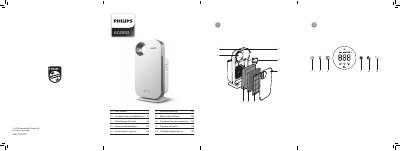
This user manual for the Philips 4550 air purifier covers safety information, product and control overviews, filter installation, and Wi-Fi setup using the Clean Home+ app.
It also explains air quality indicators, operating functions, cleaning and filter replacement, storage, troubleshooting, service, and notices.
| Wi-Fi interface | 802.11b/g/n at 2.4 GHz |
|---|---|
| Maximum Wi-Fi output power | 31.62 mW EIRP |
| Air purification filter | NanoProtect filter Series 3 (FY3433) |
| Active carbon filter | NanoProtect filter Active Carbon (FY3432) |
| Gas level range | L1 to L4 |
| Indoor Allergen Index range | 1 to 12 |
| Minimum clearance behind and sides | 20 cm |
| Minimum clearance above | 30 cm |
| PM2.5 air quality levels | ≤12 (blue), 13-35 (blue-purple), 36-55 (purple-red), >55 (red) |
Turn on the air purifier, then touch the two indicated buttons simultaneously for 3 seconds until you hear a beep; the Wi-Fi indicator blinks orange.
Blue means good, blue-purple fair, purple-red poor, and red very poor air quality.
It uses a NanoProtect filter Series 3 (FY3433) and a NanoProtect filter Active Carbon (FY3432).
Leave at least 20 cm behind and on both sides and at least 30 cm above the appliance.