
Key facts
- Brand
- Panasonic
- Model
- UB-T780
- Category
- Office Equipment
- Industry
- Computers
- Documents
- 4
- Languages
- ZH · EN
- Last added
- 2023-03-06
Start here
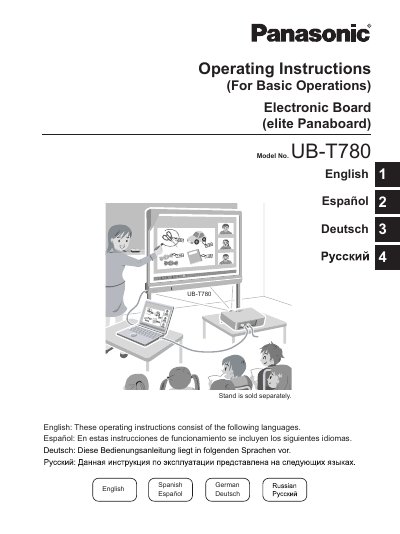
Panasonic UB-T780 Electronic Board Operating Instructions
This document provides operating instructions for the Panasonic elite Panaboard (Model No. UB-T780), an interactive electronic board designed for educational and business presentations. It details how to connect the unit to a computer via USB 2.0, install the required software, and perform screen calibration using the included electronic pen.
The guide covers basic operations such as manipulating objects on the screen, drawing with the electronic pen, saving images, and utilizing features like screen shade and magnification. It also includes safety information, troubleshooting tips, daily care instructions for cleaning and battery replacement, and specifications for system requirements.
Panasonic UB-T780 specifications
| Interface | USB 2.0 |
|---|---|
| CPU Requirement | Intel Pentium II processor or later |
| Memory (RAM) for Windows Vista | 512 MB or greater |
| Hard Disk Space Required | at least 200 MB of free space |
Source: Panasonic UB-T780 Electronic Board Operating Instructions
All Panasonic UB-T780 documents by type
Day-to-day operation, settings and troubleshooting. Start here if the product is already set up.
Questions answered in these manuals
What operating systems are supported by the elite Panaboard software?
The software supports Windows 2000 SP4, Windows XP SP2 or later, Windows Vista, and Windows 7.
From: Panasonic elite Panaboard UB-T780/UB-T781/UB-T781W User Manual
How much RAM is required to run the software on Windows 7?
You need at least 1 GB of RAM to run the software on Windows 7.
From: Panasonic elite Panaboard UB-T780/UB-T781/UB-T781W User Manual
Is the stand included with the unit?
No, the stand is sold separately.
From: Panasonic UB-T780 Electronic Board Operating Instructions
What software is required to run the elite Panaboard?
Microsoft .NET Framework 1.1 or later and DirectX 7.0 or later are required.
From: Panasonic UB-T780 Electronic Board Operating Instructions
What power input does the UB‑T780 require?
It operates on AC100‑240 V at 50/60 Hz.
What are the dimensions of the whiteboard panel?
The panel measures 1175 mm high by 1692 mm wide.