
Key facts
Start here
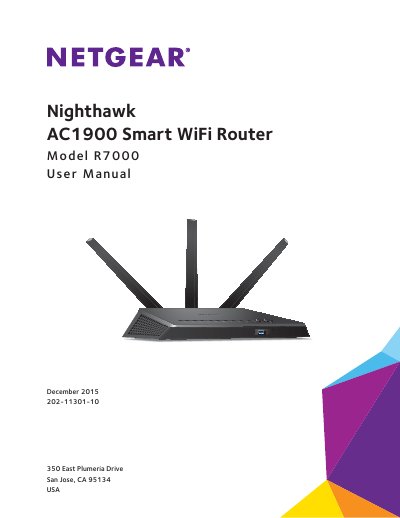
NETGEAR R7000 Nighthawk AC1900 Smart WiFi Router User Manual
The NETGEAR R7000 is a dual-core 1 GHz processor router designed to deliver combined WiFi speeds of up to AC1900 (600 Mbps on 2.4 GHz and 1300 Mbps on 5 GHz). It features high-powered amplifiers with antennas for wide coverage, upstream Quality of Service (QoS) optimized for online gaming, and downstream QoS for uninterrupted HD streaming media like Netflix and YouTube.
Read onlineNETGEAR R7000 specifications
| Product Name | Nighthawk AC2300 Smart WiFi Router |
|---|---|
| Model Number | R7000P |
| Release Date | July 2017 |
| Document Number | 202-11702-02 |
| USB Port Type | USB 3.0 |
Source: NETGEAR Nighthawk AC2300 Smart WiFi Router R7000P User Manual
All NETGEAR R7000 documents by type
Mounting, wiring and first power-up. Read it before the hardware goes in.
Day-to-day operation, settings and troubleshooting. Start here if the product is already set up.
Ratings, dimensions and ordering codes, for selection and design work.
Questions answered in these manuals
What are the default login credentials for the router management page?
The default username is admin and the password is password.
From: NETGEAR R7000 Nighthawk AC1900 Smart Router Installation Guide
How should the antennas be positioned for best performance?
NETGEAR recommends setting the middle antenna vertically upward and the side antennas at a 45-degree angle outward.
From: NETGEAR R7000 Nighthawk AC1900 Smart Router Installation Guide
How do I attach the antennas to the router?
The manual includes a section on attaching the antennas as part of the hardware setup process.
From: NETGEAR R7000 Nighthawk AC1900 Smart WiFi Router User Manual
Can I use the router for online gaming?
Yes, Nighthawk supports upstream Quality of Service (QoS) optimized for online game play with game consoles like Xbox.
From: NETGEAR R7000 Nighthawk AC1900 Smart WiFi Router User Manual
What is included in the router package?
The package contains the Nighthawk AC2300 Smart WiFi Router, the power adapter, and a yellow Ethernet cable.
From: NETGEAR Nighthawk AC2300 Smart WiFi Router R7000P User Manual
How do I attach the antennas?
Remove the antenna caps, align the antennas with the posts, and attach them to the threaded antenna posts.
From: NETGEAR Nighthawk AC2300 Smart WiFi Router R7000P User Manual