
NETGEAR R7000 Nighthawk AC1900 Smart WiFi Router User Manual

This user manual provides instructions for setting up, configuring, and troubleshooting the NETGEAR R7000 Nighthawk AC1900 Smart WiFi Router.
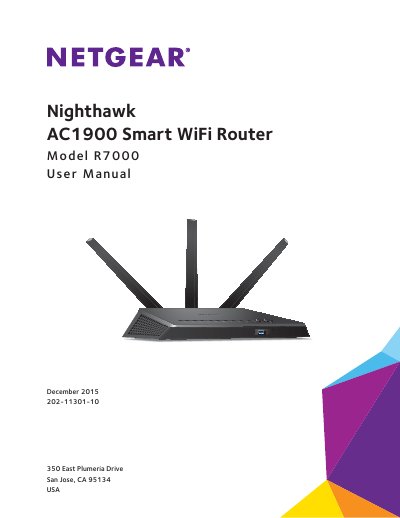

NETGEAR R7000 Nighthawk AC1900 Smart WiFi Router User Manual - cover page
Brand
NETGEAR
Category
Router
Document type
User Manual
Language
English
Pages
199
File format
PDF
File size
11 MB
Published
21 October, 2026
Updated
21 October, 2026
Model
R7000
MD5 checksum
D30A21E8B6769359B6BBD26EBA1519D4

About this manual

The NETGEAR R7000 is a dual-core 1 GHz processor router designed to deliver combined WiFi speeds of up to AC1900 (600 Mbps on 2.4 GHz and 1300 Mbps on 5 GHz). It features high-powered amplifiers with antennas for wide coverage, upstream Quality of Service (QoS) optimized for online gaming, and downstream QoS for uninterrupted HD streaming media like Netflix and YouTube.

What's inside

  • Hardware Setup
  • Connect to the Network
  • Specify Internet Settings
  • Optimize Performance
  • Control Access to the Internet
  • Share USB Devices
  • Manage Dynamic DNS
  • Use the Router as a Media Server
  • Specify Network Settings
  • Troubleshooting

Specifications

Processordual core 1 GHz processor
USB Port SpeedUSB 3.0

Frequently asked questions

How do I attach the antennas to the router?

The manual includes a section on attaching the antennas as part of the hardware setup process.

Can I use the router for online gaming?

Yes, Nighthawk supports upstream Quality of Service (QoS) optimized for online game play with game consoles like Xbox.

Does the router support USB storage?

Yes, it provides fast central storage and backup via a USB 3.0 port.

Download PDF (11 MB)

More NETGEAR Manuals


View all NETGEAR manuals →