
Key facts
Start here
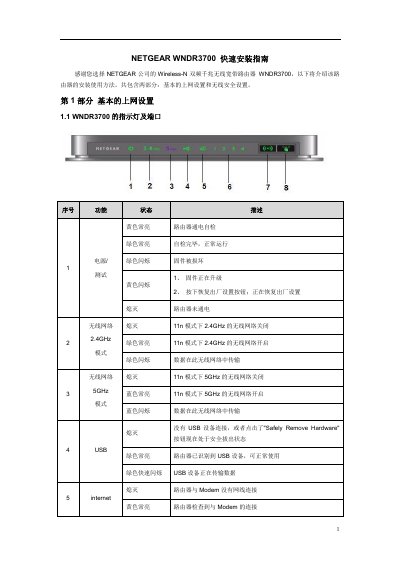
NETGEAR WNDR3700 Quick Installation Guide
This guide covers the initial setup of the NETGEAR WNDR3700 router. It details how to connect the hardware components, including power, WAN/Modem connections, and LAN ports for local devices or USB storage.
The document explains how to configure computer network settings (specifically for Windows XP, Vista, and 7) to obtain an IP address via DHCP before accessing the router's management interface. It provides default login credentials and troubleshooting steps if the login page does not appear. This manual is written in Chinese.
All NETGEAR WNDR3700 documents by type
The shortest path to a working setup, usually only a few pages.
Day-to-day operation, settings and troubleshooting. Start here if the product is already set up.
Questions answered in these manuals
What is the default management IP address for this router?
The default management IP address is 192.168.1.1.
What are the default username and password for the router's login page?
The default username is admin and the password is password, both in lowercase.
How many steps are required to complete the initial setup of the WNDR3700v4 router?
The manual states that the entire setup process can be completed in just 5 steps.
From: NETGEAR WNDR3700v4 N600 Dual-Band Gigabit Wireless Router User Manual
What is the default username and password for the router's management interface?
The default username is admin and the default password is password, with both letters in lowercase.
From: NETGEAR WNDR3700v4 N600 Dual-Band Gigabit Wireless Router User Manual