
Key facts
Start here
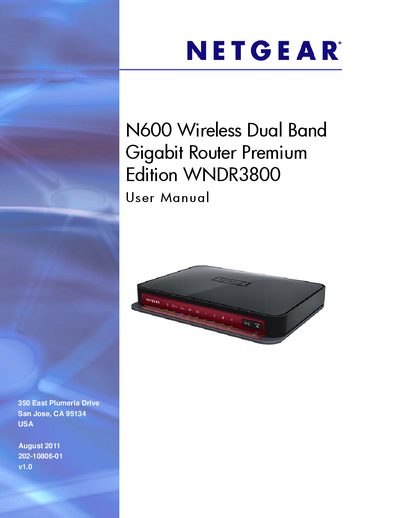
N600 Wireless Dual Band Gigabit Router Premium Edition WNDR3800 User Manual
This manual covers everything needed to install and operate the Netgear WNDR3800 wireless router, including hardware setup, wireless configuration, and advanced features such as ReadySHARE and QoS. Detailed chapters guide you through initial installation, using the NETGEAR Genie interface, and managing USB storage and security settings.
Additional sections provide troubleshooting tips, firmware upgrade procedures, and reference tables for ports, LED indicators, and technical specifications, helping both home users and technicians keep the router running smoothly.
NETGEAR WNDR3800 specifications
| Ethernet ports | 4 auto‑negotiating 10/100/1000 Mbps |
|---|---|
| USB interface | Supports USB 1.0/1.1 |
| Power indicator colors | Orange during startup, green when stable |
| WAN port indicator | Green when connected |
All NETGEAR WNDR3800 documents by type
Day-to-day operation, settings and troubleshooting. Start here if the product is already set up.
Mounting, wiring and first power-up. Read it before the hardware goes in.
Questions answered in these manuals
How can I reset the WNDR3800 to factory defaults?
Press and hold the reset button (located in the red hole on the bottom of the router) for about 5 seconds until the power LED flashes, then release.
What is the default user name and password to log into the router?
The default user name is admin and the default password is password.
From: NETGEAR WNDR3800 N600 Wireless Router Installation Guide
How long should you wait for the modem to turn on before connecting it to power?
You should wait approximately 2 minutes until your modem turns on.
From: NETGEAR WNDR3800 N600 Wireless Router Installation Guide
How can I access files on a USB drive attached to the router?
Attach a USB flash drive to the router’s USB port and use ReadySHARE to access the files over the home network.
From: N600 Wireless Dual Band Gigabit Router Premium Edition WNDR3800 User Manual
How do I upgrade the router firmware?
Use the NETGEAR Genie interface to select the firmware upgrade option and follow the on‑screen instructions.
From: N600 Wireless Dual Band Gigabit Router Premium Edition WNDR3800 User Manual
How can I set up a guest network on the WNDR3800?
Use the Guest Network settings in the NETGEAR Genie interface as described in the Guest Network Wireless Security Options section.
From: NETGEAR N600 Wireless Dual Band Gigabit Router Premium Edition WNDR3800 User Manual