
Key facts
- Brand
- NETGEAR
- Model
- WN3000RP
- Category
- Other network devices
- Industry
- Electronics
- Documents
- 3
- Languages
- EN · RU
- Last added
- 2026-11-13
Start here
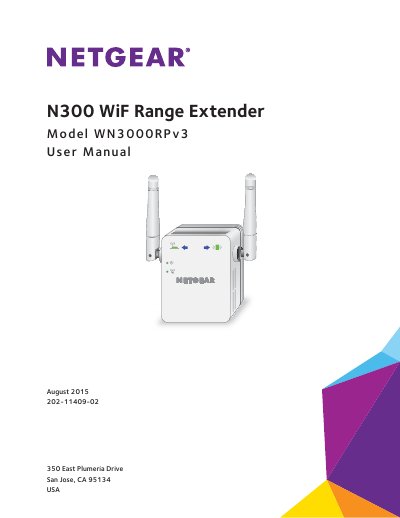
NETGEAR WN3000RPv3 N300 Wi-Fi Range Extender User Manual
This manual provides instructions for the NETGEAR WN3000RPv3 N300 Wi-Fi Range Extender. It explains how to use the device in Extender Mode to boost an existing network or in Access Point Mode to create a new hotspot. The guide details the physical components, including LEDs and buttons, and walks users through initial setup using WPS or a web browser.
Read onlineNETGEAR WN3000RP specifications
| Maximum wireless signal rate | Up to 300 Mbps |
|---|---|
| Network protocol compatibility | 802.11n, 802.11g, 802.11b |
| Power consumption | 100–240V 0.1 A, 50–60 Hz |
| Dimensions | 67 x 55 x 34 mm |
| Weight | 102 g ~ 110 g |
| Operating temperature | 0° to 40°C |
Source: NETGEAR WN3000RP N300 WiFi Range Extender User Manual
All NETGEAR WN3000RP documents by type
Day-to-day operation, settings and troubleshooting. Start here if the product is already set up.
Mounting, wiring and first power-up. Read it before the hardware goes in.
Questions answered in these manuals
What is the default wireless network name (SSID)?
The default wireless network name is NETGEAR_EXT.
How do I connect the extender to a secure WiFi network without typing the password?
You can use the WPS button on the extender and the router to connect without typing the network name and password.
What should I do if NETGEAR genie does not start automatically?
Open a web browser and enter www.mywifiext.net, then log in with username admin and password password.
From: NETGEAR WN3000RP N300 WiFi Repeater Installation Guide
Can WPS connect to a WEP-secured network?
No. WPS does not support WEP; the guide directs users to NETGEAR genie Smart Setup instead.
From: NETGEAR WN3000RP N300 WiFi Repeater Installation Guide
Can I set up the extender in extender mode if I connect it with an Ethernet cable?
No. The extender is designed to use WiFi to connect to the router or access point if it is in extender mode.
From: NETGEAR WN3000RPv3 N300 Wi-Fi Range Extender User Manual
How do I restore the extender to factory default settings?
Press and hold the Factory Reset button for at least seven seconds until the Power LED lights amber, then release and wait for it to reboot.
From: NETGEAR WN3000RPv3 N300 Wi-Fi Range Extender User Manual