
Key facts
Start here
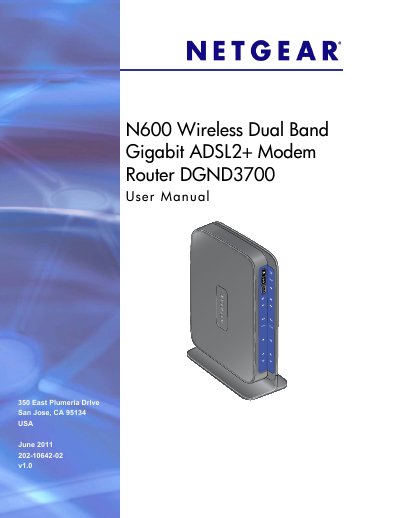
NETGEAR DGND3700 N600 Wireless Dual Band Gigabit ADSL2+ Modem Router User Manual
This manual guides you through the hardware setup of the N600 router, including unpacking, positioning, connecting ADSL microfilters, and attaching the ReadySHARE USB storage. It also describes the router's key features such as dual‑band Wi‑Fi, Gigabit Ethernet ports, and built‑in parental controls.
Further sections cover internet connection setup, wireless configuration, security settings, VPN tunneling, advanced WAN and QoS options, USB storage sharing, and detailed troubleshooting steps to resolve common connectivity issues.
NETGEAR N600 specifications
| Dimensions | 223 x 153 x 31 mm (8.8 x 6.0 x 1.2 in) |
|---|---|
| Weight | 0.5 kg (1.2 lb) |
| Operating temperature | 0° to 40° C (32º to 104º F) |
| Power adapter output | 12V DC @ 2.5A |
| LAN ports | 10BASE‑T / 100BASE‑Tx / 1000BASE‑T, RJ‑45 |
| Maximum wireless signal rate | Complies with IEEE 802.11 standard |
| Radio data rates | Auto rate sensing |
| Maximum computers per wireless network | Typically 50–70 nodes |
| 2.4 GHz frequency range | 2.412–2.462 GHz (US) |
| 5 GHz frequency range | 5.18–5.24 GHz + 5.745–5.825 GHz (US) |
Source: NETGEAR N600 Wireless Dual Band Gigabit Router Premium Edition WNDR3800 User Manual
All NETGEAR N600 documents by type
Day-to-day operation, settings and troubleshooting. Start here if the product is already set up.
Questions answered in these manuals
How can I set up a guest network on the WNDR3800?
Use the Guest Network settings in the NETGEAR Genie interface as described in the Guest Network Wireless Security Options section.
From: NETGEAR N600 Wireless Dual Band Gigabit Router Premium Edition WNDR3800 User Manual
Is the ClearChannel Selector enabled by default?
Yes, the ClearChannel Selector feature is enabled by default on the WNDR3800 router.
From: NETGEAR N600 Wireless Dual Band Gigabit Router Premium Edition WNDR3800 User Manual
How do I restore the router to factory settings?
Use the Restore function in the Maintenance menu to reset the router to its factory defaults.
From: NETGEAR DGND3700 N600 Wireless Dual Band Gigabit ADSL2+ Modem Router User Manual
How can I set up a VPN tunnel on the DGND3700?
Follow the VPN Tunnel Configuration steps in Chapter 7 to create and activate client‑to‑gateway or gateway‑to‑gateway VPN tunnels.
From: NETGEAR DGND3700 N600 Wireless Dual Band Gigabit ADSL2+ Modem Router User Manual